
'/%3e%3cpath%20d='M4.94162%205.99547L4.02701%205.08086L3.63428%205.47359L4.94162%206.78093L7.63768%204.08487L7.24495%203.69214L4.94162%205.99547Z'%20fill='white'/%3e%3cdefs%3e%3clinearGradient%20id='paint0_linear_2302_10195'%20x1='0.5'%20y1='10'%20x2='10.4939'%20y2='10'%20gradientUnits='userSpaceOnUse'%3e%3cstop%20stop-color='%234E10FF'/%3e%3cstop%20offset='1'%20stop-color='%23AB17DF'/%3e%3c/linearGradient%3e%3c/defs%3e%3c/svg%3e)
The world of Aniimo features creatures to catch, areas to explore, and quests to complete. To get some additional resources, players can use codes that provide free rewards, including Glimmer, the game's premium currency.
This guide lists the active Aniimo codes in September 2026 and explains how to redeem them.
Updated September 18, 2026: Five new Aniimo codes have been added.
All Aniimo Codes and Their Rewards
There are currently six active codes that have been tested and confirmed to work.
| Code | Rewards | Expiration |
|---|---|---|
aniimowelcome | 50 Glimmer, 5 Growth Flower, 5 Aniipod Pro | Unknown |
twinewithaniimo | 10,000 Credits, 5 Aniipod | Unknown |
aniimoopenworld | 10,000 Credits, 5 Aniipod | Unknown |
anyoneaniimo | 10,000 Credits, 5 Aniipod | Unknown |
aniimolaunch2026 | 50 Glimmer, 5 Growth Flower, 5 Aniipod Pro | Unknown |
ANIIMOGIFT | 10 Glimmer, 20,000 Credits, 10 Growth Flower, 5 Aniipod Pro | Unknown |
Aniimo2026 | 20 Glimmer | Unknown |
Create your account and play OLA TCG Battle
You get 34 free credits — enough for 6 packs or 34 battles. No deposit.
Sign up and play
The rewards include Glimmer, Credits, Growth Flower, Aniipod, and Aniipod Pro. The codes do not have a confirmed expiration date, so it is recommended to redeem them as soon as possible.
Expired Aniimo Codes
There are currently no expired Aniimo codes.
When any code stops working, it will be added to this section to make it easier to identify and avoid unnecessary redemption attempts.
How to Redeem Aniimo Codes
The code redemption system is not available from the beginning of the game. First, you need to progress through the tutorial until you defeat Turbo and start the Chasing the Clouds main quest, which requires you to visit Bloomville.
This process can take around an hour of gameplay. Once the feature is unlocked, follow these steps:
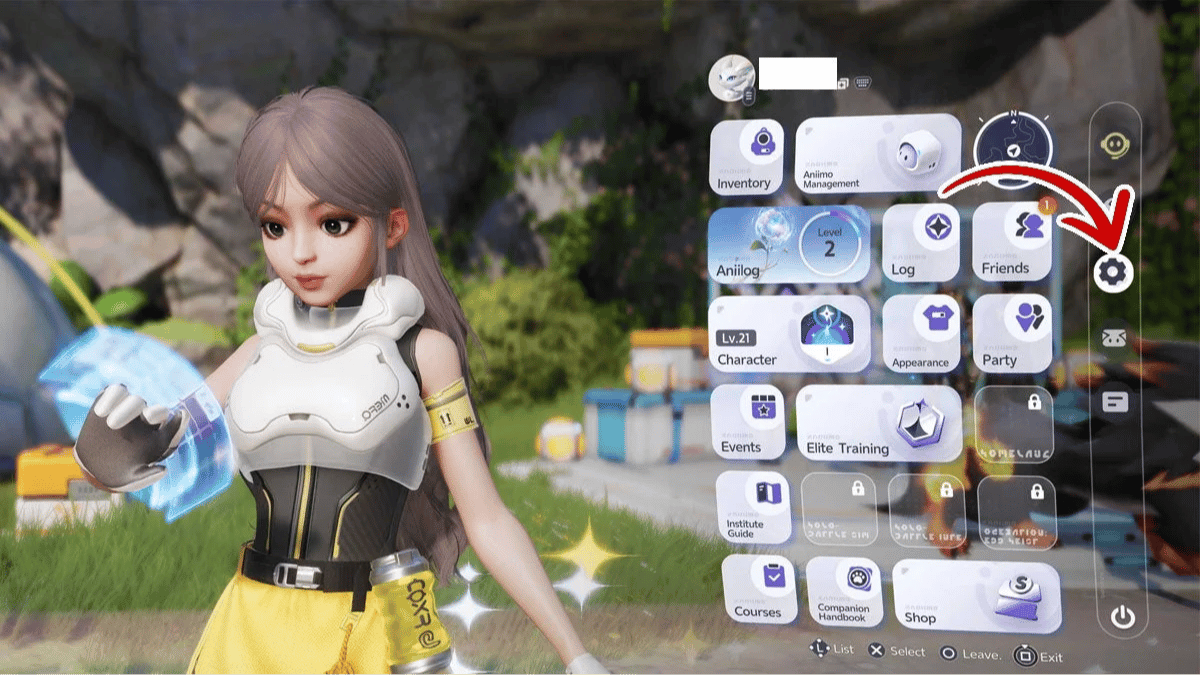
- Open the main menu and select the gear icon on the right-hand sidebar to enter Settings.
-
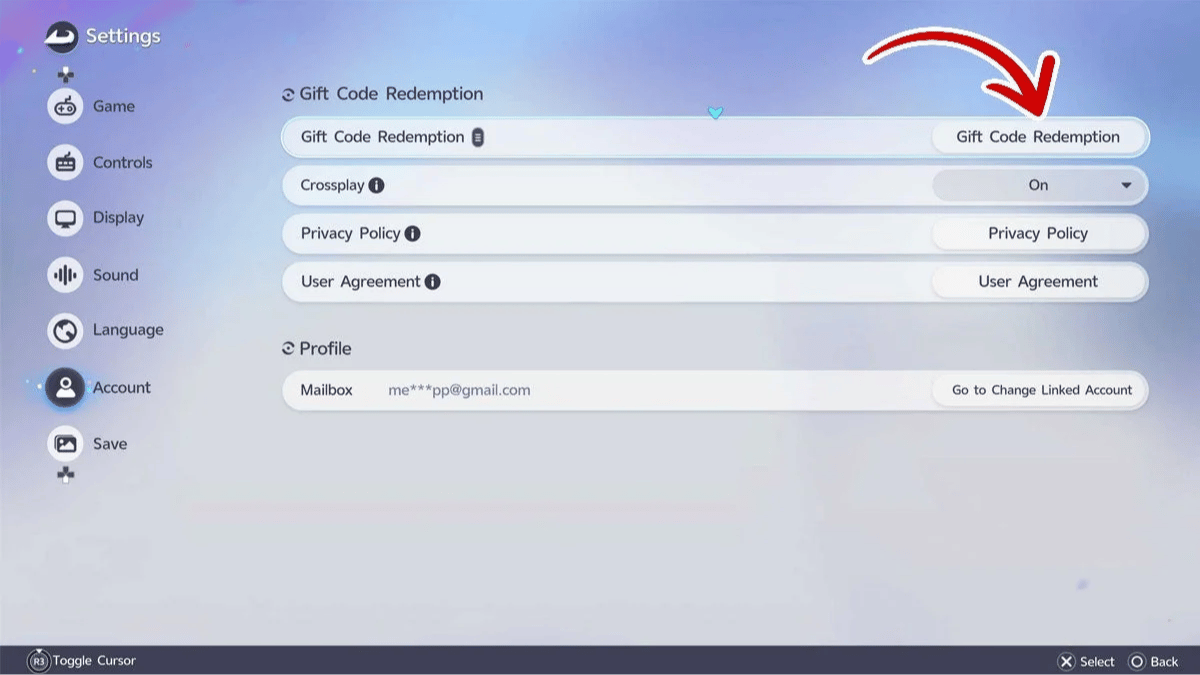
Scroll down to the Account tab on the left-hand sidebar.
-
Select Gift Code Redemption.
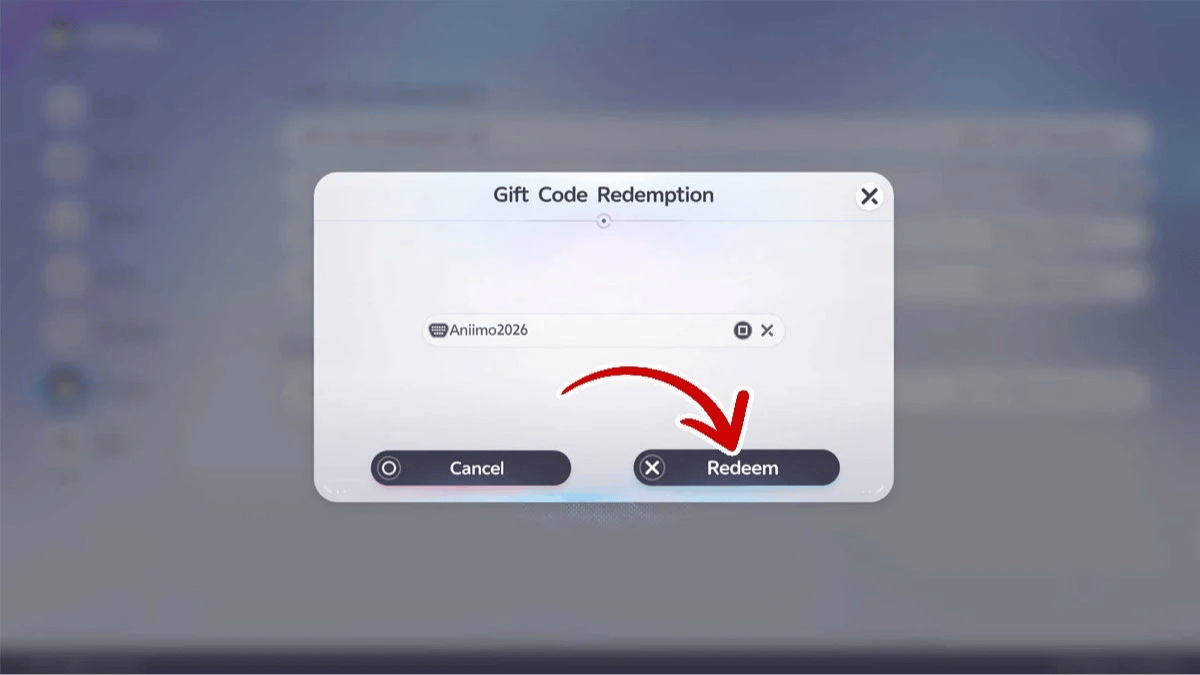
- Enter the code in the Enter redeem code field and click Redeem. If the code works, a notification will appear confirming that it was successfully redeemed.
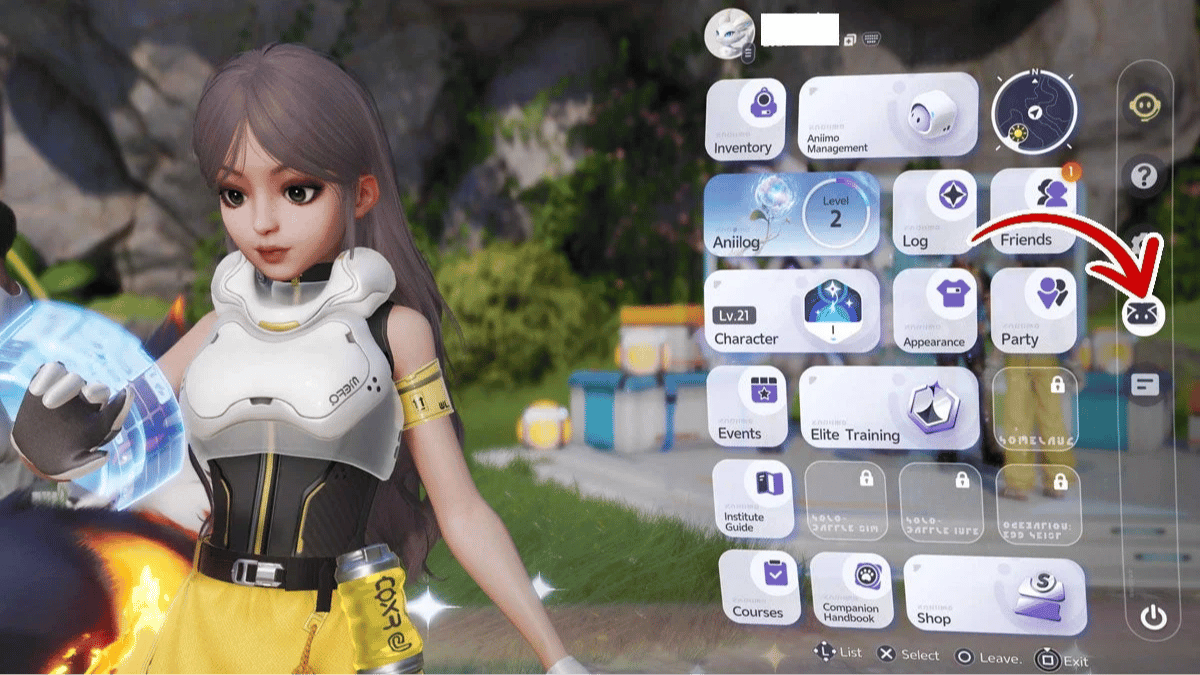
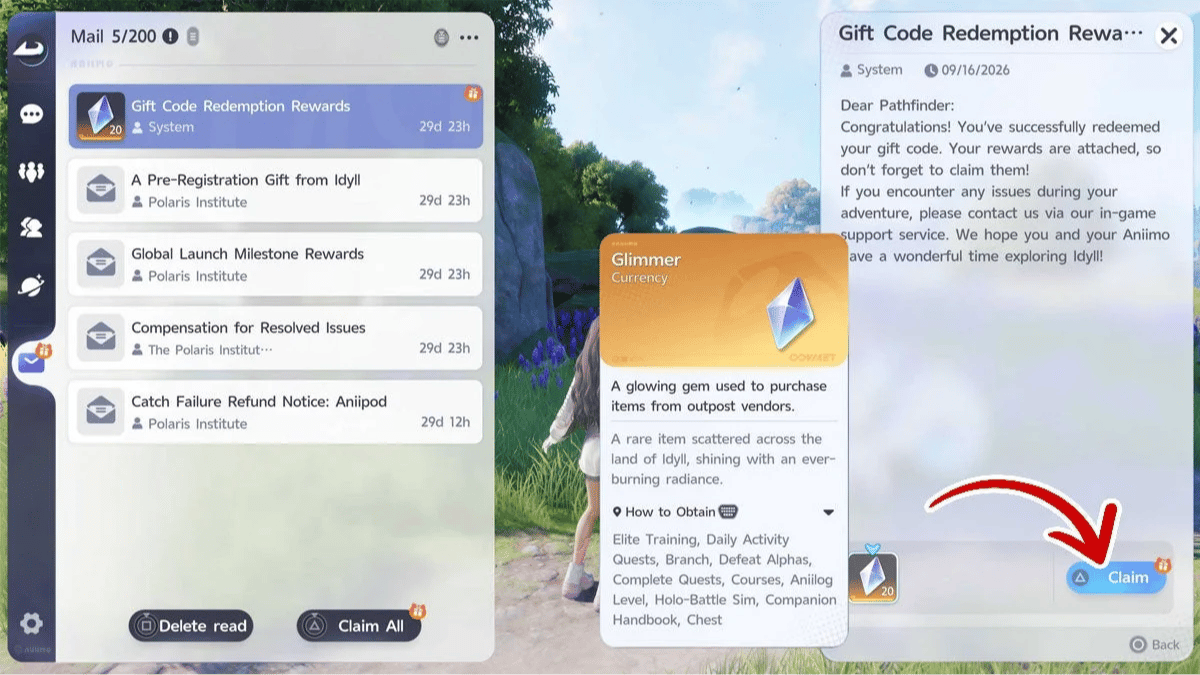
- Return to the main menu and select the mail icon on the left-hand sidebar.
-
Open the mail titled Gift Code Redemption Rewards.
-
Select Claim to receive your rewards.
Why Aren't Aniimo Codes Working?
If a code isn't working, the first thing to check is whether it was entered correctly. An extra space or confusing a 0 with an O can prevent the code from being redeemed.
To avoid mistakes, you can copy the codes directly from this guide and paste them into Aniimo. This reduces the chances of entering incorrect characters.
0
0
Etiquetas


