
'/%3e%3cpath%20d='M4.94162%205.99547L4.02701%205.08086L3.63428%205.47359L4.94162%206.78093L7.63768%204.08487L7.24495%203.69214L4.94162%205.99547Z'%20fill='white'/%3e%3cdefs%3e%3clinearGradient%20id='paint0_linear_2302_10195'%20x1='0.5'%20y1='10'%20x2='10.4939'%20y2='10'%20gradientUnits='userSpaceOnUse'%3e%3cstop%20stop-color='%234E10FF'/%3e%3cstop%20offset='1'%20stop-color='%23AB17DF'/%3e%3c/linearGradient%3e%3c/defs%3e%3c/svg%3e)
Hey everyone! If you're looking for ways to play Brawl Stars without downloading heavy files or dealing with constant updates, cloud gaming has become a viable alternative for players. Currently, platforms like CloudMoon and EasyFun allow you to access Supercell's hit hero shooter directly from your web browser, promising to save storage space on your mobile device.
In this article, we'll explain the current state of these tools, how they work, and whether they are truly worth it for competitive matches.
Current Options: CloudMoon and EasyFun
There are two main platforms currently standing out for playing mobile titles on the cloud: CloudMoon and EasyFun. According to their official portals, both offer the ability to launch Brawl Stars without a local installation.
- EasyFun: Through its portal (
easyfun.gg), the platform lets you play Brawl Stars instantly in your browser. The service hosts the game on remote servers and streams the video in real-time. - CloudMoon: Similarly, the CloudMoon web portal (
web.cloudmoonapp.com) provides a virtual environment where you can log in and play immediately, focusing on freeing up storage and preventing low-end phones from overheating.
Your OLA account is worth prizes
Play the Claw, hunt the treasure and redeem in the Store. Creating an account is free.
Create my accountHow to play Brawl Stars on the cloud step-by-step
While the experience can vary depending on your region, the general process to test these services is straightforward:
- Open your favorite browser: Whether it's Chrome, Safari, or Edge on your mobile or PC.
- Visit the chosen platform: Go to EasyFun.gg or the CloudMoon web portal.
- Search for Brawl Stars: Use the platform's search bar to locate the Supercell game.
- Start the game: Click "Play in browser" or the equivalent button. You may need to create an account on the platform or watch an ad before entering.
- Log in with Supercell ID: To recover your progress, brawlers, and trophies, securely link your Supercell ID.
The big challenge: Latency in competitive matches
The promise of skipping gigabyte downloads and saving battery is great. However, in a game like Brawl Stars, where a millisecond defines whether you land a Shelly ultimate or dodge a Colt attack, network performance is everything.
Cloud gaming requires a highly stable internet connection (ideally 5GHz Wi-Fi or 5G). Any fluctuation in your network translates to input lag (the delay between touching the screen and the character's action). If you plan to play ranked modes, we recommend testing in friendly matches first to gauge your ping.
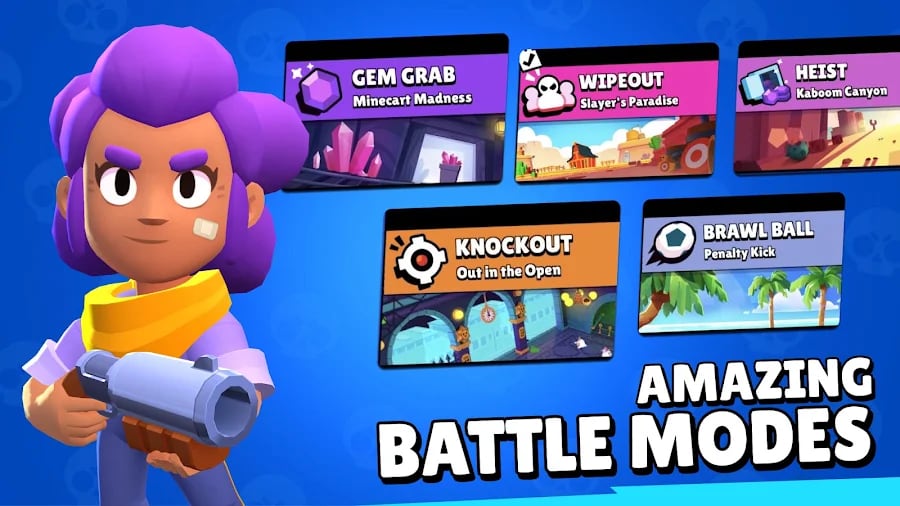
Classic modes to test your connection
If you decide to give CloudMoon or EasyFun a try, we suggest trying these modes to evaluate smoothness:
- Gem Grab: Ideal for seeing how well you coordinate with your team in 3v3 without lag while collecting gems.
- Showdown: Play solo first. If you notice lag while dodging attacks in the bushes, you'll know your cloud connection isn't optimal for competing.
- Brawl Ball: This mode requires precise reflexes to pass the ball. It's the ultimate stress test for any cloud service.
Conclusion
Playing Brawl Stars on the cloud via EasyFun or CloudMoon is a great alternative if your phone lacks space or if you just want a quick match without updating the app. However, for intense competitive play, the native app remains the undisputed king.
Have you tried any of these platforms? Explore more guides on how to optimize your connection and improve your mobile gaming performance right here on olagg.io. See you in the arena!
0
0
Etiquetas


