

Updated: November 2026
If there is one thing that gets your heart racing in Roblox, it is the feeling that something terrifying is chasing you and you simply cannot hit the brakes. That is exactly the intense premise of this analog horror game where stopping your vehicle means game over. To survive in style, customize your ride, and keep your cool, you will need resources. That is exactly where Do Not Stop codes come in. With them, you can grab free rewards and get a massive boost without spending hours sweating on dark roads.
The game forces you to maintain your speed at all costs while navigating highly unpredictable and scary environments inspired by mystery and creeping monsters. Naturally, grinding for the game's currency from scratch takes a lot of time, patience, and some solid driving skills. Fortunately, taking advantage of the code list the developers occasionally drop allows you to stack up funds quickly to improve your gameplay from the moment you log in.
Active Do Not Stop codes today
Having the right codes at hand gives you a massive and direct advantage on your account. The rewards mainly consist of Credits, the core currency of the title, which gets instantly added to your virtual wallet as soon as you confirm the redemption. Unlike regular gameplay where you have to sweat for every coin while fleeing from the entity in your rearview mirror, these commands hand you hundreds of credits in seconds.
Below, you can find the complete list, verified and currently working for you to claim today:
- RELEASE: Grants you 250 Credits for your account.
- LASTSTOP: Grants you 250 Credits for your account.
- DONOTSTOP: Grants you 200 Credits for your account.
- ROUTE1610: Grants you 150 Credits for your account.
Make sure to type them exactly as they appear above. In Roblox games, these kinds of rewards are almost always case-sensitive. If you mess up a single letter, swap a number, or leave an extra space at the beginning or end, the game's system will throw an invalid error and you will not receive your well-deserved Credits.
How to redeem codes in Do Not Stop step by step
If you are new to this tense and challenging game, or if you have simply never claimed any freebies in this experience before, the redemption process is super smooth and straightforward. You just need to be in the game and follow this quick step-by-step list from the main menu:
- Launch the experience on the official Roblox app or via your PC player.
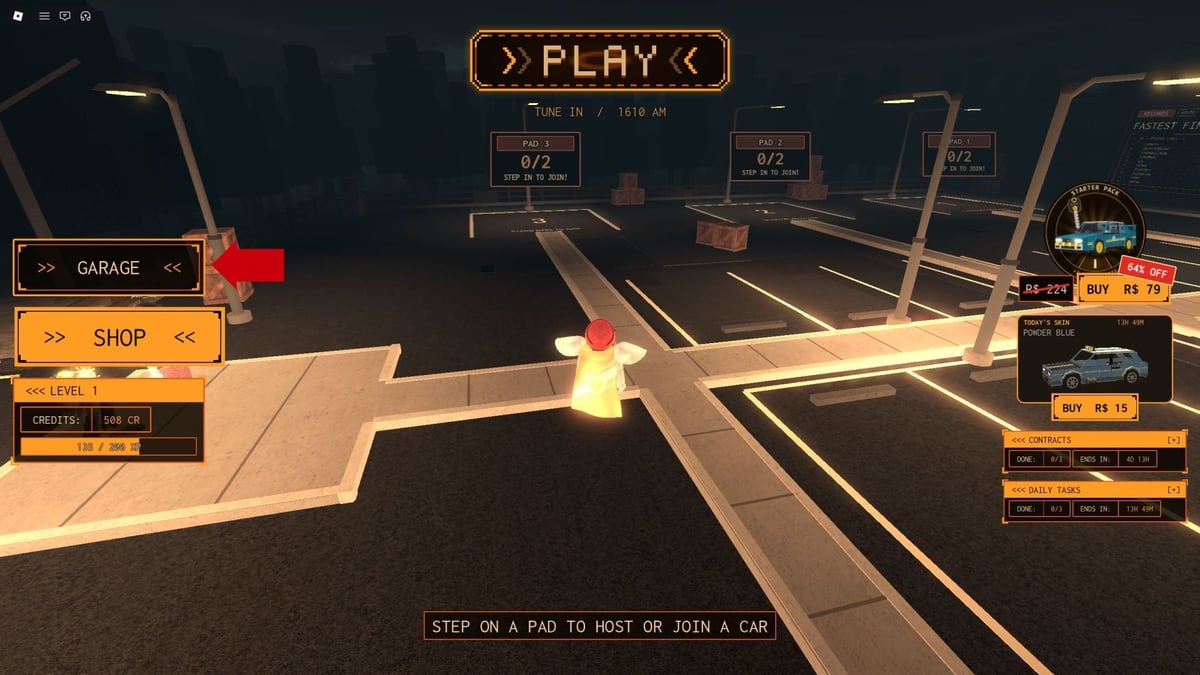
- Look for and click on the Garage button, which is normally found on the main screen interface and lets you access your car customization menu.
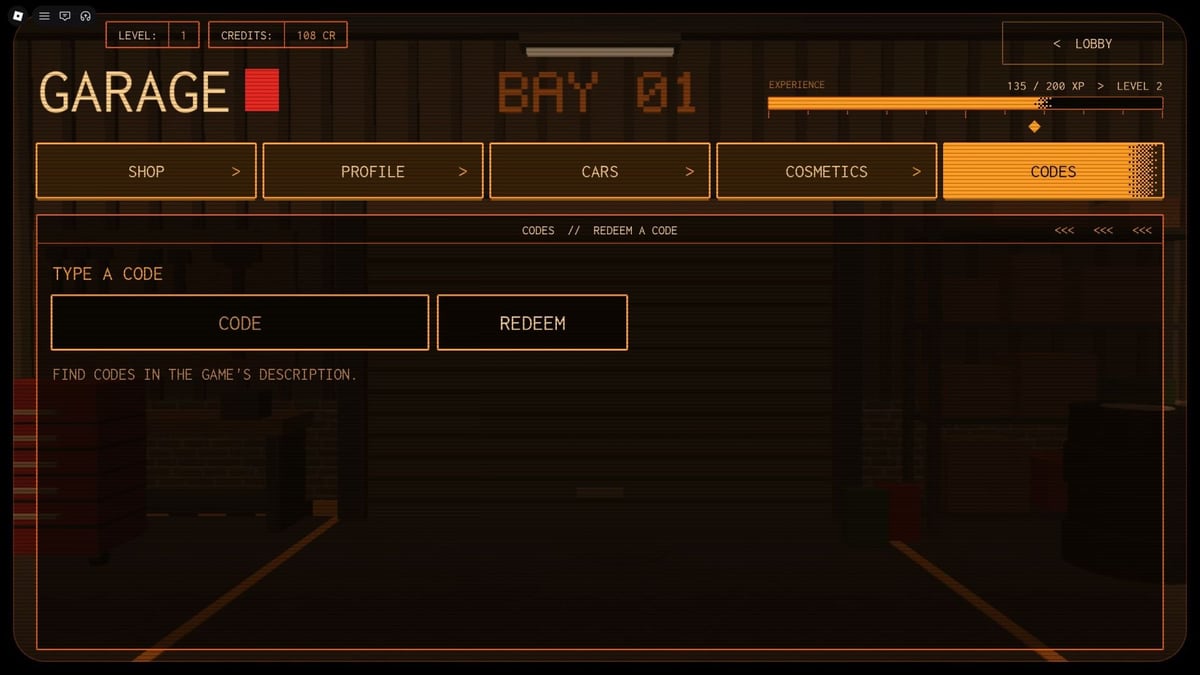
- Once inside that menu, switch over to the top or side tab that says Codes.
- A blank text box will pop up. Click on it and enter one of the active codes we listed earlier.
- Hit the Redeem button to claim your prize. You will immediately see the Credits added automatically to your total balance.
You can repeat this simple process with every single command on the list, copying and pasting one after another, until you have used them all and maximized your free loot.
What are credits used for in Do Not Stop
The main goal of hoarding this valuable currency is quite tempting for any player who likes to stand out. Credits are used directly in the in-game shop to purchase and open Crates. By opening these crates, you gain access to a massive variety of cosmetic options, skins, and unique visual accessories for your vehicle.
Modifying your car not only adds a personal touch to your desperate escapes through haunted highways but also makes the whole horror experience feel much more immersive and yours. By redeeming promo codes, you skip the tedious grind of having to pull off perfect runs or survive incredibly long chases just to afford your very first batch of Crates. You just hop in, claim your loot, customize your car with your favorite gear, and you are fully ready to hit the gas and flee into the night.
Expired Do Not Stop codes
For now, and to the joy of every player just jumping in, every code that has been released for the game since launch is still active and working flawlessly. None of them have expired yet.
However, we know exactly how this system works: Roblox developers love to suddenly deactivate old codes whenever they drop massive updates or introduce special seasonal events. As soon as any from the active list stops working for good and the game shows an expired code message, we will move it immediately to this section. This keeps the list clean and prevents you from wasting your valuable time testing commands that are already dead.
I hope these freebies help you build the perfect getaway car. Always remember the single most important golden rule in this experience: whatever happens, and no matter what you hear behind you, do not stop driving and keep your foot glued to the pedal. Want to stay a step ahead of the monsters? Bookmark this page on olagg.io and check back next week, or join our community to share any new codes you discover in the dark!
0
0
Create your account and play OLA TCG Battle
You get 34 free credits — enough for 6 packs or 34 battles. No deposit.
Sign up and playEtiquetas


