

Updated: November 2026
Yes, it is entirely possible to jump straight into the action without installing absolutely anything on your phone or PC. If you are wondering how to play Blood Strike online free without downloading, the fastest official answer right now is using CloudMoon, a cloud gaming service that runs the title directly from your web browser.
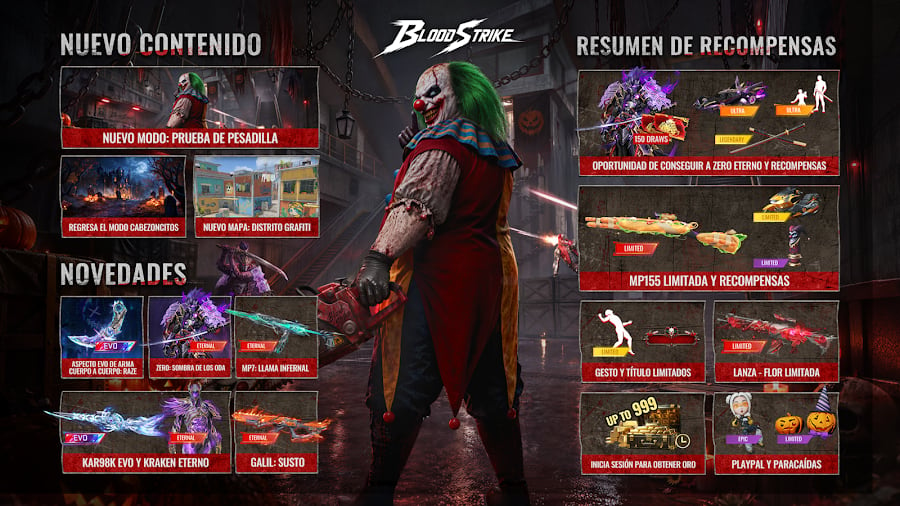
For those of us constantly fighting for storage space or who just don't want to deal with massive day-one updates, this is the ultimate solution. Forget about crazy hardware requirements; you can launch the game instantly and enjoy this tactical battle royale at its best without frying your device's battery. Blood Strike has already won over more than 50 million downloads worldwide on the Google Play Store alone, and cloud gaming lets you join them in seconds, keeping the core fast-paced combat and unique character skills intact.
Official requirements for cloud gaming
Even though the game is processed on remote servers packing global GPUs, you still need to meet a few basic requirements to make the experience smooth. Here are the real specs based on the official platform:
- Supported devices: Practically anything. You can use Android, iOS, tablets, Chromebooks, modest laptops, or even a low-end smartphone (yep, the classic "potato phone").
- Memory and storage: Zero storage headaches. It runs perfectly on phones with just 32 GB of total space or 3-4 GB of RAM, delivering a steady 60 fps without ever overheating your device.
- Internet connection: It is crucial to use a 5 GHz Wi-Fi network or a wired connection. A stable and low ping is way more important than raw speed to achieve latency under 55 ms.
- Access cost: Basic access is free to play, letting you test the platform at no cost. If you want extra perks, there are premium plans starting at US$4.99 a month, which is much cheaper than buying a new phone or a premium console subscription.
How to play Blood Strike online free without downloading step by step
The process is super straightforward and completely official. We will never recommend installing modded APKs or shady miracle software. Everything goes through legitimate channels, meaning your account and progression remain 100% safe. Follow these steps to enter the battlefield:
- Open your preferred web browser (like Chrome or Safari) and go to the official CloudMoon website. Alternatively, you can download their lightweight app, which takes up only 15 MB.
- Use the platform's search bar to find Blood Strike - FPS for all within their massive cross-platform game library.
- Click the "Play instantly" or "Go Now" button. The system will connect you to an isolated virtual machine, and the game will boot right up, entirely skipping any huge downloads or patches over 10 GB.
- Log in with your usual game account or enter as a guest.
- You are good to go! Get ready to test out a wide arsenal of weapons, perfect for close-quarters combat, and master your favorite Striker's unique abilities.
It is vital to state clearly what is not possible. Do not fall for magical "Lite" versions outside of official stores promising offline play or tiny file sizes. Any site offering the full game heavily compressed into a few megabytes is a scam or malware. If your device cannot handle the native full game installation, cloud gaming is your only real and safe alternative.
Connection issues and quick fixes
Streaming games comes with its own technical quirks. If you notice any stuttering during your match, the platform details several official solutions to the most common problems:
- Blurry graphics (HD looks like SD): HD quality boosts the bitrate to keep things sharp when moving fast around the map. If your entire screen is constantly blurry and pixelated, it isn't the game's fault; it's a dip in your connection. Real-time streaming demands much more stability than just watching a video.
- Lag and stuttering despite fast internet: This is a classic in the cloud gaming world. Having hundreds of megabits per second won't prevent lag if there is "jitter" or instability in your network. If someone else in your house is downloading torrents or streaming 4K movies, you will feel the impact. The official advice is to pause large downloads and strictly connect to a 5 GHz band.
- Cloud security concerns: Many players fear putting their data on remote servers. However, this environment is built on a "zero trust" architecture with traffic encrypted via TLS 1.3. Every user session runs in an isolated virtual machine (sandbox), guaranteeing no risk of data leaks or unfair bans for third-party software.
At the end of the day, jumping right into the action without staring at a download bar for hours is a massive advantage for any gamer. Tweak your Wi-Fi settings, secure a stable connection, and get the most out of your device, no matter how humble it is.
👉 Play Blood Strike instantly on CloudMoon here
0
0
Create your account and play OLA TCG Battle
You get 34 free credits — enough for 6 packs or 34 battles. No deposit.
Sign up and playEtiquetas


