

Updated: November 12, 2026
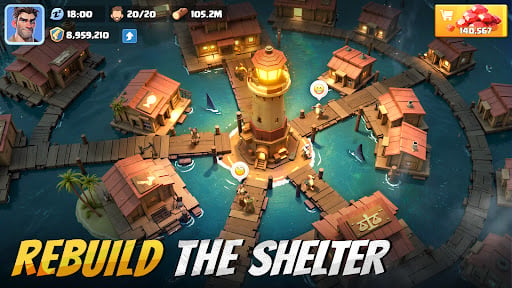
If you're wondering how to play Last Beacon: Survival on PC without completely draining your phone's battery, the short answer is yes, you can. The deep-sea crisis has forced humanity to build massive shelters on the ocean surface, and managing this oceanic rebuilding effort is no small task. While the game doesn't have an official native PC port yet from YG Technology FZ-LLC, the fastest and safest way to enjoy this oceanic survival title on a big screen is by using a dedicated Android emulator.
Why Play Last Beacon: Survival on PC?
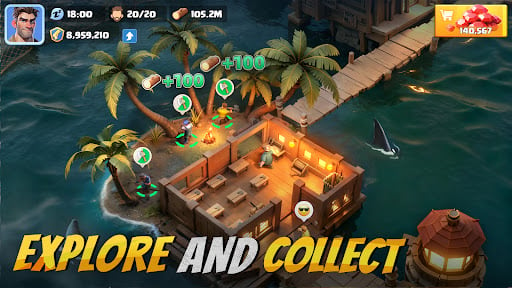
Playing a complex survival strategy game on a 6-inch mobile screen can get incredibly cramped, especially as your base expands. Constructing intricate oceanic shelters requires precision, and managing your gathered resources, alliance chats, and crafting queues is much faster with a mouse and keyboard. Furthermore, playing on PC allows you to appreciate the detailed water physics and post-apocalyptic ocean visuals on a larger monitor without your phone overheating during intense, hours-long gameplay sessions.
Minimum and Recommended System Requirements
Before downloading anything, you need to make sure your computer can handle the virtualization software smoothly. Here is what you need based on standard emulator (like MEmu or LDPlayer) specs:
Minimum Specs:
- Processor: Intel or AMD Dual-Core
- Operating System: Microsoft Windows 7 or higher
- RAM: At least 2 GB
- Storage: 5 GB of free hard disk space
- Extra: Hardware Virtualization Technology (VT) must be enabled in your PC's BIOS.
Recommended Settings for 60 FPS: While minimum specs get the game running, survival strategy demands fluid performance. Once installed, go to your emulator's settings and assign 4 CPU Cores and at least 4096 MB (4 GB) of RAM. Switching the graphics rendering mode to Vulkan or OpenGL (depending on your dedicated GPU) will drastically improve frame rates and reduce lag when scrolling across massive alliance wars on the map.
Choosing the Right Emulator
While this guide focuses on general steps, picking the right software matters. MEmu is highly optimized for lower-end PCs and handles strategy games beautifully. LDPlayer is another excellent, lightweight alternative heavily used by the community for high FPS gaming. Both are officially safe and pull games directly from the Google Play Store.
How to Play Last Beacon: Survival Step by Step
Since there's no direct official download for Windows or Mac, running an Android emulator is the community standard. Here are the exact steps to install your software and start building your sea shelters:
- Download an Emulator: Visit the official site for MEmu or LDPlayer and download the installer. Run the setup file and follow the on-screen instructions to finish the initial installation on your PC.
- Access the Store: Launch the emulator. On the main home screen, locate and open the Google Play Store app. You will need to log in with your existing Google account (which is great for syncing your mobile progress).
- Search the Game: Type Last Beacon: Survival in the store's search bar.
- Install: Hit the Install button. Make sure the listed developer is exactly YG Technology FZ-LLC to avoid downloading copycat titles.
- Launch and Map Controls: Once the installation is complete, the game icon will appear on the emulator's desktop. Click it to start playing.
Pro Tip for PC Controls: Once you are in the game, take 5 minutes to set up your keybinds. The right-hand toolbar on most emulators has a keyboard icon. Click it to overlay a D-pad for map scrolling (WASD) and assign single keystrokes to your most-used building menus. This setup gives you a massive speed advantage during timed events.
Important Safety Warning
It's worth noting that any third-party site promising a "native PC download" or ".exe file" for Last Beacon: Survival is likely offering unofficial, modified, or malicious files. Always stick to the safe route by using trusted emulators and downloading the game directly through the official Google Play ecosystem. This ensures your account remains secure and you won't lose your precious alliance progress, shelters, and resources when facing the deep-sea crises.
Ready to rule the ocean? If this setup guide helped you establish your first sea base, stick around on olagg.io for more Last Beacon tier lists, and subscribe to our newsletter for the best daily gaming guides!
0
0
Create your account and play OLA TCG Battle
You get 34 free credits — enough for 6 packs or 34 battles. No deposit.
Sign up and playEtiquetas


