

Updated: October 31, 2026
What's up, gamers. If you're into popping wheelies, exploring open-world cities, and hustling delivery jobs, you're probably already hooked on Projeto Grau 2. The hit mobile game by Insanity Group has taken the mobile scene by storm, but touchscreens aren't always the best when you need precise throttle control for a perfect stoppie.
Moving your setup to PC changes the whole vibe. You get a much bigger screen, you can map your custom keyboard bindings, and you don't have to worry about your battery dying mid-delivery. Here's a straightforward guide to getting it running.
How to download Projeto Grau 2 on PC step by step
Since the game is native to Android, you'll need to use an Android emulator. Popular choices like MEmu, BlueStacks, or LDPlayer work perfectly. The process is pretty much identical across the board:
- Get an emulator: Download the Windows installer from the official site of your chosen emulator.
- Sign in: Open the program, head into the Google Play Store, and log in with your Google account.
- Find the game: Search for Projeto Grau 2 and double-check that the developer is listed as Insanity Group.
- Install and play: Hit install. Once it's done, you can launch the game straight from the emulator's home screen.
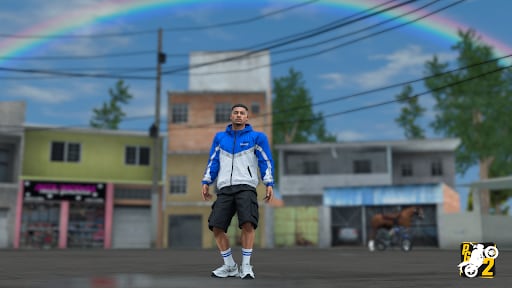
Emulator control setup
The entire mechanics of Projeto Grau 2 revolve around balancing your acceleration and braking. While it works on mobile, having physical keys makes maintaining that balance so much easier.
Create your account and play OLA TCG Battle
You get 34 free credits — enough for 6 packs or 34 battles. No deposit.
Sign up and playOpen your emulator's keymapping tool (usually found on the sidebar). It's best to map your standard movement to W, A, S, and D. Having W for acceleration and S for the brakes gives you the snappy response you need to keep a wheelie going down a long avenue. Don't forget to set on-screen tap points for UI buttons like checking your phone, hopping off the bike, or entering the garage.
What's new in the 1.0.8 update
If you're jumping in fresh on PC, you'll be experiencing the new features from the recent 1.0.8 update, which adds a ton of depth to the simulation:
- New bike: The heavy-hitting MT-07 is now available to purchase.
- Story content: The "Missão do Motoca" is the game's first true story mission, complete with voice-acted cutscenes. You can start it from the Missions app on your in-game phone.
- Car wash job: Vehicles actually get dirty now! You can make some extra cash by working at the local car wash.
- Deep customization: You can equip new jackets, hats, and backpacks, plus you have the ability to import custom textures for your gear.
Optimizing emulator settings for smooth 60 FPS
While Projeto Grau 2 runs well on mobile, emulating an open-world game on PC requires some quick tweaking to ensure you get a stable 60 FPS. Nobody wants their game to stutter right in the middle of a perfect wheelie.
To get the best performance, open your emulator's settings menu (usually a gear icon in the top right corner). Navigate to the Performance tab and allocate at least 4 CPU cores and 4096 MB (4GB) of RAM. Next, head to the Graphics tab and set the rendering mode to OpenGL (or DirectX if you have an older AMD GPU). Finally, make sure Hardware Virtualization (VT) is enabled in your PC's BIOS—this is the biggest factor in getting Android emulators to run smoothly without lag.
Making the most of the custom textures feature
One of the standout features in the 1.0.8 update is the ability to import custom textures for your gear and bikes. Instead of relying only on the in-game shop, players can now personalize their rider's jackets, helmets, and backpacks.
To use this on PC, simply download your preferred texture image files (.png or .jpg) directly through your emulator's built-in browser, or use the "Shared Folder" feature in MEmu or BlueStacks to transfer files from your Windows desktop to the Android environment. Once saved in the emulator's gallery, open the game's customization menu, select the item you want to modify, and choose "Import Texture." Browse to your saved image, apply it, and you're ready to show off your unique style in multiplayer.
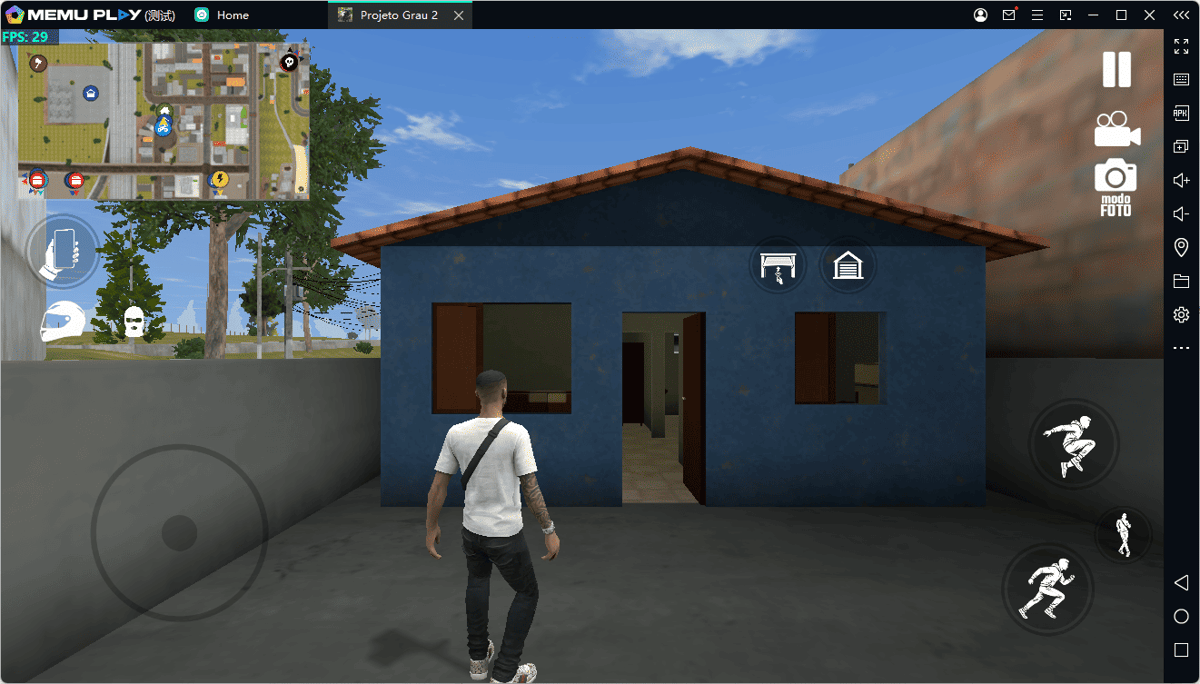
Cruising the city, customizing your rims and suspension, and grinding out delivery jobs feels completely natural on a PC monitor. Insanity Group has packed in weather cycles, traffic, and plenty of side hustles, making it an open-world experience that genuinely benefits from the upgrade in screen real estate and control options.
Ready to dominate the streets and build the ultimate garage? Download Projeto Grau 2 via your preferred emulator, and stay tuned for more mobile-to-PC setup guides.
0
0
Etiquetas


