

Updated: May 2026
If you're hooked on Stumble Guys, you've probably noticed that some opponents move with almost robotic precision while you're fighting the touch controls on your phone screen. It isn't magic, it's hardware: a large chunk of the player base is using a gamepad. With massive crossover events and constantly evolving maps, staying competitive means optimizing your setup. To truly dominate this wildly popular battle royale from Scopely, swapping your fingers for physical thumbsticks is the logical next step.
Playing Stumble Guys with a controller doesn't just offer vastly better comfort; it allows you to execute precise jumps and dodges with a level of responsiveness that a mobile display simply cannot match. In this guide, we'll dive into exactly how to ditch the touch controls and set up your gamepad on both mobile devices and your PC to help you rack up more crowns.
Advantages of playing Stumble Guys with a controller
No matter how goofy the characters look falling off edges, Stumble Guys is at its core a highly competitive game. Surviving chaotic matches with up to 32 players requires lightning-fast reflexes, and every technical advantage counts in the final rounds. By hooking up a physical controller, you instantly gain three key benefits:
- Pinpoint movement precision: Analog sticks prevent your sweaty thumbs from slipping and sending you plummeting into the void. You control your character's momentum down to the millimeter.
- Clear screen visibility: Keeping your hands off the glass means your entire field of view opens up. You can spot spinning hammers, obstacles, and enemy players much earlier.
- Ergonomics and comfort: Grinding out dozens of rounds while hunched over a mobile screen causes hand fatigue. A proper console pad gives you the perfect grip for extended sessions.
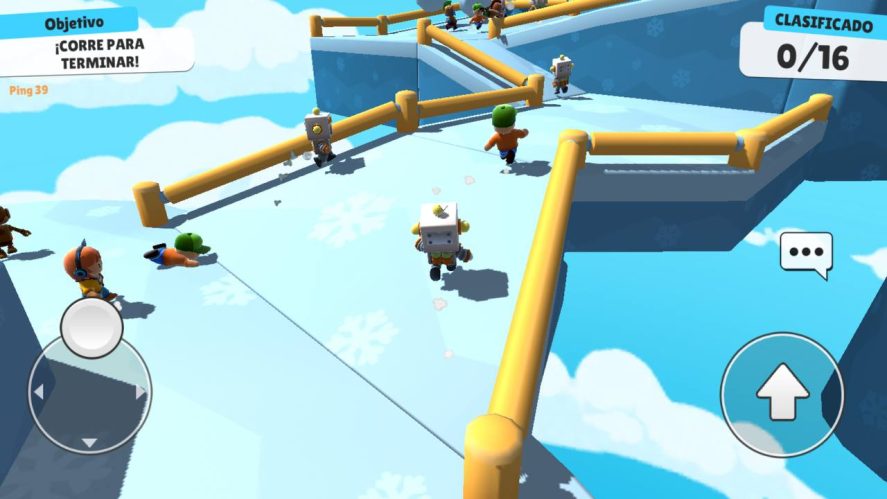
How to set up a controller on mobile step by step
Unlike a lot of modern mobile games that automatically detect your gamepad the moment it connects via Bluetooth, Stumble Guys forces you to make the switch manually inside its settings menu. If you don't know where to look, it's easy to miss. Here are the exact steps to get connected on Android and iOS:
- Pair your device: First, sync your controller (such as an Xbox or PlayStation pad) to your smartphone via your phone's native Bluetooth settings.
- Launch the game: Open Stumble Guys and wait until you reach the main lobby screen.
- Open Settings: Tap the small gear icon located in the top right corner of the interface.
- Find the input option: Scroll all the way down until you spot the Control Device category.
- Switch it up: Use the side arrows to flip the default setting from Touch to Gamepad.
- Ready to play: You're all set! Your controller's buttons are now fully mapped to navigate the menus and jump right into a match.
What controllers are compatible with Stumble Guys?
Almost all modern Bluetooth controllers work right out of the box. Community favorites include:
- Xbox Wireless Controllers (Xbox One or Xbox Series X|S): The gold standard for mobile gaming thanks to native Android and Windows support.
- DualShock 4 and DualSense: PS4 and PS5 pads connect swiftly over Bluetooth and provide near-zero input lag on modern smartphones.
- Telescopic mobile controllers: Devices like the Razer Kishi or Backbone One are incredible alternatives if you want a handheld experience.
Recommended Button Mapping
By default, the game does a decent job assigning the main actions, but for truly competitive play, you might want to optimize your layout. On an Xbox controller, Jump is usually mapped to A and Dive to X. We recommend mapping your special emotes (like the punch or hug) to the shoulder buttons or triggers (RT/LT or R2/L2). This allows you to trigger them instantly without taking your thumbs off the analog sticks—a lifesaver on survival maps like Block Dash.
Troubleshooting: How to eliminate input lag
The biggest enemy of mobile Bluetooth gaming is the delay between pressing a button and your character reacting (input lag). If your ping is fine but your Stumbler feels sluggish, try these quick fixes:
- Controller Battery: Bluetooth controllers often reduce their polling rate when the battery is low to save power. Keep it charged above 50%.
- Reduce Interference: Disconnect other Bluetooth devices from your phone, such as wireless earbuds or smartwatches, while playing.
- Go Wired: If you are playing on PC or have a USB-C OTG adapter for your phone, connecting your pad directly via cable eliminates input lag entirely.
Playing Stumble Guys on PC with a controller
If mobile gaming feels too cramped and you want to experience the chaos on a big screen, migrating to a desktop or laptop is the way to go. You essentially have two main routes to play Stumble Guys on PC: downloading the official version via Steam, or booting it up through an Android emulator.
On either platform, configuring your controller is virtually plug-and-play. On Steam, you gain access to Steam Input, which allows you to completely customize deadzones and sensitivity. The biggest draw of the PC version is being able to crank up to a higher resolution alongside buttery-smooth, stable framerates. When you mix flawless performance with the precision of physical thumbsticks, you gain a massive competitive edge over mobile players dealing with framedrops.
Ready to test your new setup? Join our community at olagg.io to find more Stumble Guys shortcuts, read our latest patch breakdowns, and share your victory crowns with us. See you at the finish line!
0
0
Create your account and play OLA TCG Battle
You get 34 free credits — enough for 6 packs or 34 battles. No deposit.
Sign up and playEtiquetas


