

Updated: November 14, 2026
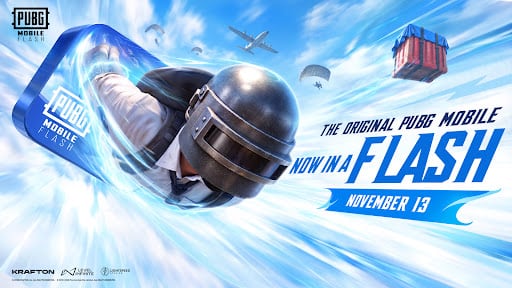
If your phone struggles every time you try to jump out of the plane, there is good news. PUBG Mobile Flash is finally here to fix those massive lag spikes and storage issues. This new lightweight version arrives in late 2026 to bring back the classic battle royale experience, without melting your battery or eating up all your phone's memory.
It is essentially the evolution of what was known as PUBG Mobile Lite, but directly integrated into the current ecosystem. Basically, you can keep playing with your friends who have high-end phones without your device bursting into flames.
What is PUBG Mobile Flash
PUBG Mobile Flash is an official and optimized app created by Level Infinite. The biggest draw here is that the initial download is incredibly small: it weighs less than 0.96 GB on Android and about 1.75 GB on iOS.
The best part of this system is that it comes with the classic Erangel map pre-installed so you can jump into a match right away. You don't have to sit through a mandatory 5 GB download before your first game. Everything else, from other maps to modes like Metro Royale or the 4v4 arena, is completely optional.
If you don't want to see the flashy outfits of other players that take up a ton of space, the game simply renders generic models to save your storage. Also, it shares the same universe as the main game; you keep your account, progress, friends, and even the Ban Pan anti-cheat protection.
PUBG Mobile Flash requirements for Android
To get decent performance and enjoy a stable frame rate without stuttering, your device needs to meet some very accessible minimums. You don't need the latest processor on the market. Keep in mind that this version focuses on base stability; features like 60 FPS or 120 FPS are currently limited while developers optimize more devices.
Here are the requirements you need to keep in mind:
- Operating System: You need Android 5.1 or higher.
- RAM: At least 2 GB of RAM is recommended to prevent unexpected crashes.
- Base Storage: A minimum of 1 GB free for the initial installation, though we suggest having a bit more if you plan to download resource packs.
- Connection: Since it shares global servers, playing on a stable Wi-Fi network is ideal to avoid lag.
- Processor: Any recent entry-level or mid-range chip will run the game smoothly thanks to its dedicated graphics optimization.
How to download PUBG Mobile Flash step by step
Installing the game is a quick process. You can do it straight from the official stores or by getting the APK if you prefer to handle it yourself.
Follow these steps to enter the battlefield:
- Free up space: Make sure you have at least 1.5 GB of free space on your phone to avoid errors during the initial installation. Delete apps you no longer use.
- Find the app: Open the Google Play Store and search for PUBG MOBILE FLASH (published by Level Infinite). Alternatively, you can find the APK in trusted repositories.
- Installation permissions: If you download an external APK, go to your Android settings and allow the installation of apps from unknown sources.
- Install and launch: Download the base game and launch it. Since there's no massive mandatory package, loading times are minimal.
- Log in: Use your standard Facebook, Google, or email account. All your cosmetics and friends will be there.
- Download only what you need: Head to the resource menu in the minimalist lobby and download only the maps and game modes you actually plan to play.
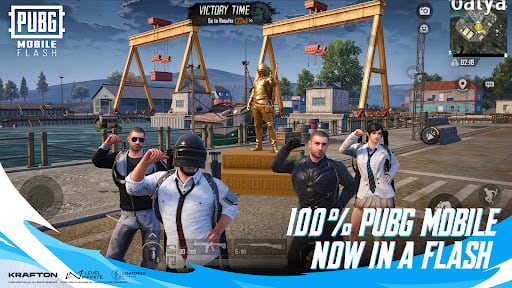
Before jumping into a ranked match, take a trip to the training mode to tweak your graphics and sensitivity. With the fast loading times of this version, you will be looting weapons in seconds. If the game stutters at first, lower the graphics and close any background apps; your phone will appreciate it.
Troubleshooting common installation errors
Even with a lightweight app, sometimes things go wrong during installation. If you run into issues, try these quick fixes:
- "App not installed" or Parse Error: This usually means the APK file is corrupted or your device is running an Android version older than 5.1. Delete the downloaded file, check your OS version in your phone's settings, and download the APK again.
- Storage warnings despite having space: Android requires extra temporary space to unpack installation files. If you have exactly 1 GB free, it might not be enough. Try clearing the cache of heavy apps like TikTok or Instagram to free up an additional 500 MB.
- Stuck on the loading screen: If the game installs but freezes on the Tencent or Level Infinite logo, it might be a permissions issue. Go to your app settings, find PUBG Mobile Flash, and ensure it has storage permissions enabled.
Ready to dominate Erangel without the lag? Download PUBG Mobile Flash on the Google Play Store or grab the APK to start your optimized battle royale experience today.
0
0
Create your account and play OLA TCG Battle
You get 34 free credits — enough for 6 packs or 34 battles. No deposit.
Sign up and playEtiquetas


