

Updated: 2026
Hey, Karim here. If you've ever wanted to play Free Fire but your phone is completely out of storage space, or maybe you just want to test the waters before committing to a massive download, you are in the right place.
Yes, it is entirely possible to play Free Fire without downloading or installing heavy files. The fastest official way to jump in is by using Google Play Instant if you are on an Android device, or by relying on now.gg to stream the game through your web browser on both PC and mobile. Let's break down exactly how to use these tools without any confusing detours.
Requirements to play Free Fire without installing
Before you dive in, make sure you meet a few basic requirements:
- Compatible device: An Android smartphone (for Instant mode) or a PC, Mac, or phone with a modern web browser like Chrome (for cloud streaming).
- Internet connection: This is crucial. A stable Wi-Fi or strong 4G/5G connection (at least 10 Mbps) is required to prevent input lag during cloud gaming.
- Active account: Your standard Google account linked to the Play Store, or your main gaming login for the cloud.
How to play without downloading on Android with Google Play Instant
For mobile players, the absolute fastest route is the Google Play Instant feature. This loads up a quick 2-minute and 20-second demo match where you drop into a smaller map to fight 7 bots. It's the perfect benchmark to see how the game runs on your specific phone.
- Open the Play Store app on your phone and tap the search bar at the top.
- Search for Free Fire.
- On the game's store page, right next to the usual Install button, you will see a Try Now button. Tap it.
- Give Google Play Instant a few seconds to configure the environment without downloading the full gigabytes.
- You are now on the island! Use the standard on-screen touch controls to move around, aim, and shoot.
- If you are satisfied with the performance, just tap the Download icon on your screen to proceed with installing the complete app.
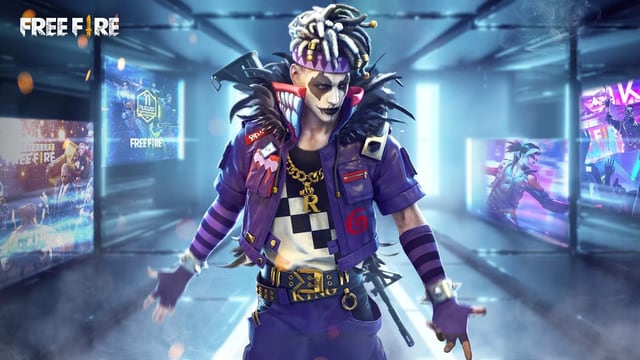
Keep in mind that this is purely a trial run. None of your progress will be saved, and you cannot join up with your friends or play ranked modes.
Play Free Fire on PC and mobile via browser with now.gg
If you want the full multiplayer experience but want to skip the massive downloads—or if you are playing from a lower-end laptop—cloud gaming is your best bet. Garena officially supports playing through your web browser via now.gg.
- Launch your preferred web browser on any device.
- Head over to the official now.gg website and find Free Fire in their action games catalog.
- Click the play button to launch the title right in your browser.
- Wait for the cloud servers to initialize the game environment (this requires zero local hard drive space).
- Log in with your normal account and start enjoying full, real-time multiplayer matches.
Pros and Cons of playing without installing
Pros:
- Saves storage: Free Fire can take up over 2GB of space after updates. These methods use almost zero local storage.
- Test before you invest: Instantly see if you enjoy the gameplay and if your device can handle the graphics before downloading the whole package.
- Play anywhere: With now.gg, you can switch from your low-end smartphone to a school or work laptop seamlessly just by logging into your browser.
Cons:
- Data consumption: Cloud gaming streams video constantly. If you are on a limited mobile data plan, now.gg will eat through your gigabytes quickly. Stick to Wi-Fi.
- Play Instant limitations: The Google Play Instant version is strictly a solo demo against bots. You cannot use it for ranked matches or playing with friends.
Common issues and what to avoid
If things aren't running smoothly on the first try, do not panic. If you are using now.gg and noticing blurry visuals or delayed controls, your internet connection is the culprit. Try closing unnecessary tabs and switching from mobile data to Wi-Fi. If the Play Store trial crashes, double-check that your Google Play Services app is fully updated.
Finally, I need to clear up a common myth: it is not possible to play the full competitive mode entirely offline. Avoid any sketchy websites offering modified APKs that claim to let you "play without installing" or include hidden cheats. These are completely unofficial, put your privacy at risk, and will easily get your account permanently banned. Stick to the official methods, and you will be good to go.
Ready to drop in?
If this guide helped save your phone's storage, don't stop here. Create an account on olagg.io to get notified about our latest cloud gaming guides, exclusive tips, and Free Fire updates!
0
0
Create your account and play OLA TCG Battle
You get 34 free credits — enough for 6 packs or 34 battles. No deposit.
Sign up and playEtiquetas


