
'/%3e%3cpath%20d='M4.94162%205.99547L4.02701%205.08086L3.63428%205.47359L4.94162%206.78093L7.63768%204.08487L7.24495%203.69214L4.94162%205.99547Z'%20fill='white'/%3e%3cdefs%3e%3clinearGradient%20id='paint0_linear_2302_10195'%20x1='0.5'%20y1='10'%20x2='10.4939'%20y2='10'%20gradientUnits='userSpaceOnUse'%3e%3cstop%20stop-color='%234E10FF'/%3e%3cstop%20offset='1'%20stop-color='%23AB17DF'/%3e%3c/linearGradient%3e%3c/defs%3e%3c/svg%3e)
Party Icons: beginner guide
Party Icons is a Web3 extraction shooter with battle royale elements, PvPvE matches, role-based heroes, permanent weapons, seasonal resources and an economy connected to Ronin. This guide explains how to start playing, which modes are available, how heroes work, which resources you should know and what steps to follow before entering a match.
The main goal in Party Icons is not only to eliminate rivals. The game is based on entering the map, collecting resources, fighting AI-controlled enemies, surviving other teams and extracting in time to secure the loot. Because of that, each match combines combat, exploration, inventory management and decision-making.
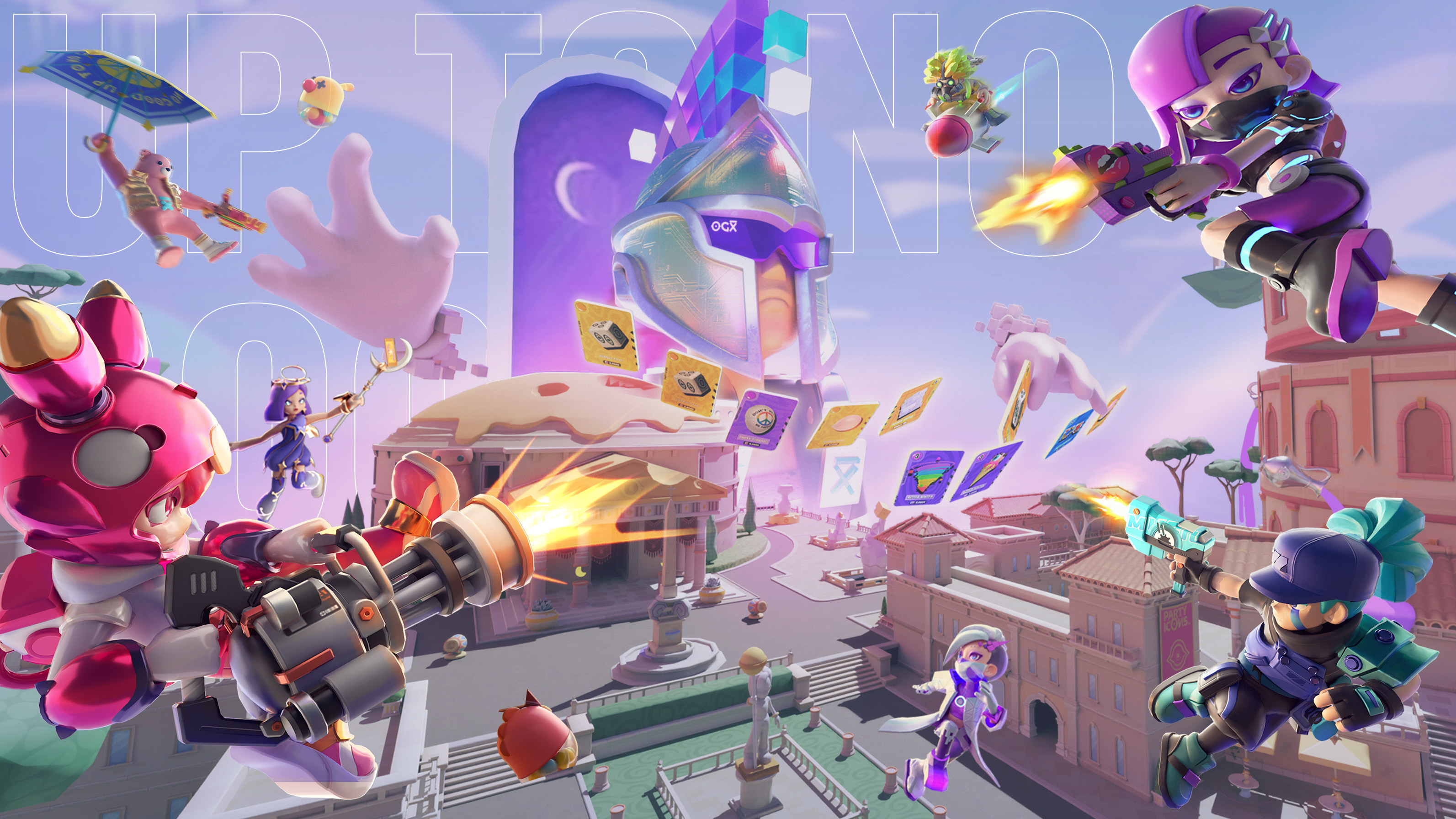
 Party Icons combines extraction, PvPvE combat and cross-platform progression.
Party Icons mixes action, extraction, heroes, Web3 resources and seasonal progression. The key is to enter the map, get loot and leave before losing it.
What is Party Icons?
Party Icons is an action game set inside the Partyverse, an ecosystem where players can join fast matches from PC, iOS and Android. Its proposal combines third-person shooting, resource extraction, Web3 economy and competitive modes.
- Extraction shooter: players enter the map, collect resources and must escape alive.
- PvPvE combat: there are AI-controlled enemies and real opposing teams.
- Web3 progression: it includes tokens, digital assets, internal resources and an economy connected to Ronin.
- Cross-platform play: it allows players to play from PC, iOS and Android with account-linked progress.
Unlike a traditional shooter, in Party Icons the winner is not always the player who eliminates the most enemies. In many cases, the best decision is to retreat in time, keep the loot and prepare better for the next match.
What you should know before playing
Resources are not secured until you manage to evacuate.
Each character has a different function within the team.
There are permanent weapons and others that only last during the match.
There are internal currencies, progression resources and Web3 assets.
How to download Party Icons step by step
To start playing Party Icons, the first step is to download the official client from the game’s website. The process may vary depending on the platform, but the general path is simple.
Go to the official Party Icons download page.
Select PC, iOS or Android depending on the device you will use.
Download the file or follow the installation instructions shown on the page.
Use your account to save progress, inventory and resources.
How to play Party Icons
The main loop of Party Icons works as a sequence of decisions. Each match starts with hero selection and ends when the player manages to extract or loses the resources obtained.
Step-by-step match flow
- Choose your hero: select a character based on the role you want to fulfill.
- Prepare your gear: check weapons, backpack, supplies and resources.
- Enter the map: start the match with your squad.
- Explore resource areas: look for materials, loot and important objectives.
- Fight PvE enemies: defeat Nightmare Legion units.
- Evaluate PvP fights: decide when to fight and when to retreat.
- Look for extraction: move to a safe point to leave the map.
- Manage what you obtained: use resources to improve your progression.
It is not always worth chasing every fight. If you already have good loot, extracting is often better than risking everything in an unnecessary battle.
Party Icons game modes
Party Icons includes different modes within the Partyverse. Some focus on extraction and combat, while others offer more casual or interactive experiences.
Party Heist: the main mode
Party Heist is the main mode in Party Icons. In this format, teams of four players enter the map to collect resources, defeat enemies and compete against other squads.
The main objective is to obtain valuable materials, such as Mirblite, and escape alive. If the team falls before extracting, it may lose part of the progress earned during that match.
- Create or join a team of four players.
- Select heroes with complementary roles.
- Enter the map and define an exploration route.
- Defeat Nightmare Legion enemies.
- Collect Mirblite and other available resources.
- Evaluate whether to keep exploring or retreat.
- Move to the extraction point.
- Extract to secure the loot.
Mask Mode and Marauder Mode
EKKO, the player’s AI agent, acts autonomously in combat based on its configuration.
The player directly controls the hero in third person, relying on aim, movement and decisions.
God Mode and God Skills
God Mode is an advanced mode connected to OGX̅ assets. In this format, some users can influence a match from a higher perspective using special cards called God Skills.
These abilities can alter the rhythm of a match with attacks, summons or special events. The system can also integrate with live streams so viewers and content creators can participate more actively.
Carnival
Carnival brings together party-style minigames inside Party Icons. This section is designed for more casual sessions, with dynamics different from the main extraction mode. During testing phases, it may not be available while the team makes technical adjustments.

Heroes in Party Icons: roles and rarities
The characters in Party Icons are known as Hero Icons. They are not only visual avatars: each hero can influence combat, mobility, survival and the ability to carry resources.
Main hero roles
Focused on helping the team. It can cover retreats, revive allies or block enemy vision.
Focused on tactical information. It helps detect nearby threats and avoid ambushes.
Focused on mobility. It helps reposition, escape or flank enemies.
How to choose a hero
- If your team falls quickly, try a Support.
- If you often lose to ambushes, use a Sentinel.
- If you need to move fast or escape, choose an Adventurer.
- If you play solo or with little coordination, prioritize survival and mobility.
- If you play with a fixed team, combine roles to cover more situations.
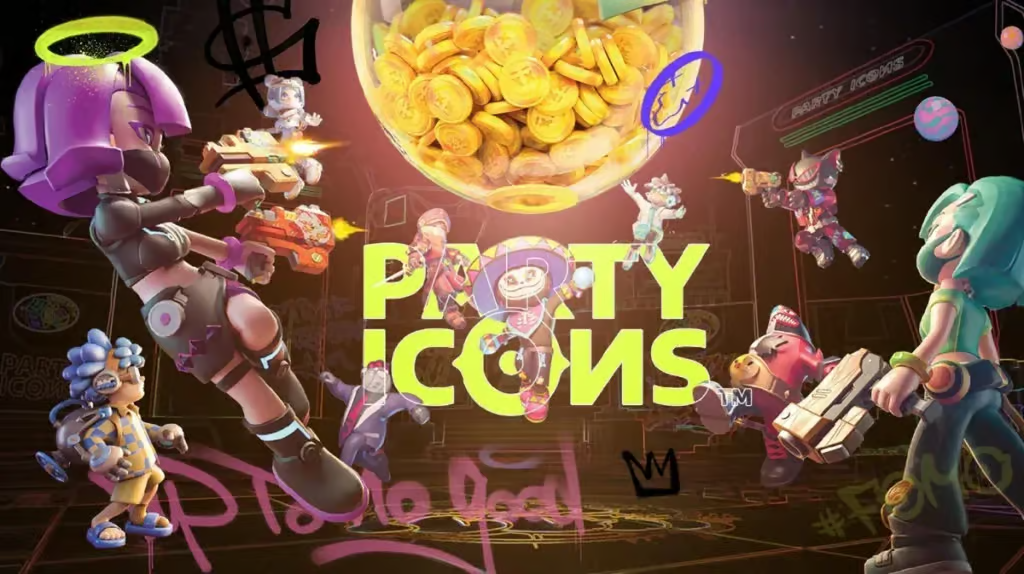
 Party Icons heroes have roles, rarities and benefits that affect progression.
Backpack and inventory
The base backpack in a match has 20 slots. However, capacity can increase through different systems.
- Hero bonuses: some higher-rarity heroes add extra space.
- OGX̅ equipment: it can grant extra inventory slots.
- Laboratory upgrades: these allow backpack expansion through base progression.
More space allows you to carry more resources, but it also increases the risk if you fail to extract. In Party Icons, carrying more does not always mean playing better.
Weapons in Party Icons
Weapons in Party Icons are divided into regular weapons and special weapons. This difference is important because they do not work the same way within progression.
Regular weapons
- AKM: balanced assault rifle for mid-range combat.
- Sniper Rifle: long-range rifle for accurate shots.
- UZI: fast submachine gun for close combat.
- Winchester: shotgun useful for ambushes and close-range damage.
- SPAS-12: shotgun designed for constant pressure in closed spaces.
- Desert Eagle: high-impact pistol used as a secondary weapon.
Special weapons
- Gatling Gun: sustained-fire weapon with reduced mobility.
- RPG: explosive launcher for area damage.
- M32: grenade launcher useful against grouped enemies.
- Arc Laser: energy weapon for direct pressure.
- Frost Gun: control weapon used to slow enemies.
- Bubble Gun: utility-focused tool.
How to choose weapons based on your style
Use rifles like AKM to keep a balance between damage and control.
Prioritize UZI or shotguns if you are fighting in closed spaces.
Consider long-range rifles to control areas from a distance.
Take advantage of special weapons like Frost Gun or Bubble Gun when they appear.
Party Icons economy: tokens and resources
The economy of Party Icons combines Web3 assets, tokens and internal currencies. Each resource has a different function, so it is important to understand them before spending.
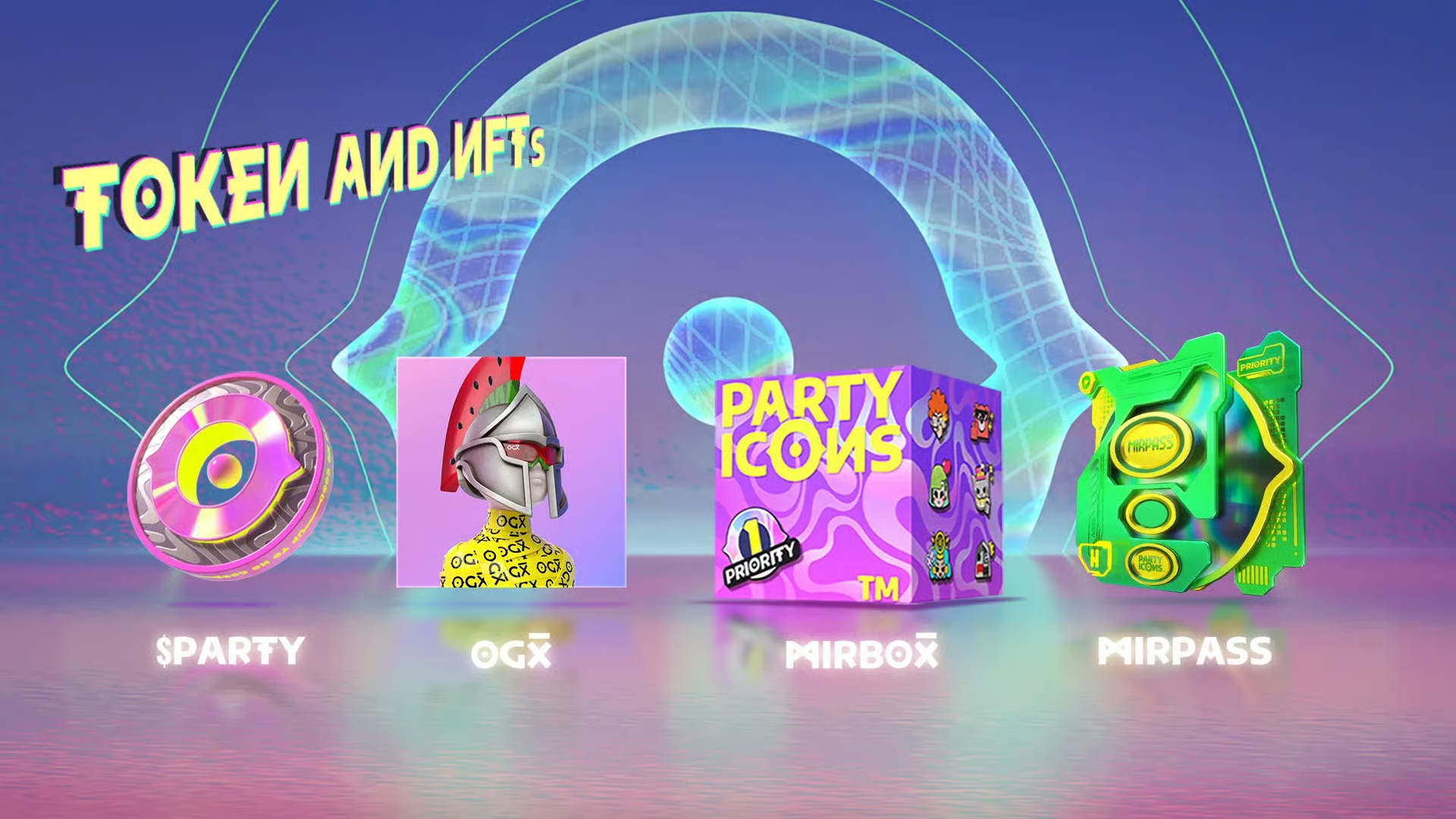
Main assets and tokens
- OGX̅: collection associated with ecosystem benefits, such as access to special features, inventory advantages and progression.
- Hero Icons: assets connected to playable characters within Ronin.
- Mirble: utility token used for systems such as synthesis, upgrades and internal functions.
- $EKKO: governance token planned for voting, rewards and ecosystem functions.
 Party Icons integrates internal resources, tokens and digital assets into its economy.
Internal currencies
Premium currency used for purchases, keys, trading and access to some features.
Basic currency obtained through in-game activity. It is used for supplies, repairs and upgrades.
Resource related to the EKKO AI agent and some automation features.
Tips for managing resources
- Do not spend premium resources without checking their use first.
- Prioritize upgrades you will use across several matches.
- Keep coins for basic supplies if you are just starting.
- Evaluate whether a box or upgrade fits your playstyle.
- Check synthesis costs before merging heroes or weapons.
Party Pass in Party Icons
The Party Pass works as a seasonal reward path. As the player levels up, they can unlock heroes, weapons, modules, materials, keys and other resources.
| Pass Level | Unlock Method | Immediate Progress |
|---|---|---|
| Free Pass | Free for all users. | Starts at Level 1 of the season. |
| Basic Pass | One-time $9.99 purchase from the official store. | Immediate jump to Level 21 with rewards. |
| Premium Pass | $19.99 purchase or $9.99 upgrade. | Immediate jump to Level 36 of the path. |
| OGX̅ Benefit | Own a valid OGX̅ NFT and purchase a paid pass. | Immediate jump to Level 55. |
How to level up the Party Pass
- Complete daily missions.
- Complete weekly missions.
- Participate in seasonal matches.
- Earn gameplay experience.
- Use diamonds to skip levels, if the feature is available.
What to check before buying a pass
- How much time is left in the season.
- What rewards each level includes.
- Whether you will play enough to take advantage of it.
- Whether the rewards fit your playstyle.
- Whether you have any additional OGX̅ benefit.
Supply boxes in Party Icons
Supply boxes allow players to obtain heroes, weapons and specific items. Some boxes are general, while others focus on specific characters or seasons.
Contains heroes and weapons of different rarities. Requires a Diamond Key.
Box focused on Chester, his themed weapons and related cosmetics. Requires a Mirble Key.
Box focused on Kooli, weapon designs and seasonal items. Requires a Mirble Key.
Tips before opening boxes
- Check what each box contains.
- Do not open boxes only for rarity: see if the content is useful to you.
- Save keys if you are waiting for a specific box.
- Compare whether it is better to open boxes or progress through missions.
- Be clear about whether you are looking for heroes, weapons or cosmetics.
Recommended path for new players
If you are starting in Party Icons, it is better to progress in an organized way. The priority should not be spending resources quickly, but understanding the extraction loop and learning how to keep the loot.
- Download the game from the official website.
- Create an account and link your progress.
- Enter the tutorial or first available matches.
- Try heroes from different roles.
- Play Party Heist without risking too much at the beginning.
- Learn the extraction areas.
- Save important resources.
- Complete daily and weekly missions.
- Review the Party Pass before buying it.
- Upgrade heroes, weapons and inventory progressively.
Common mistakes when starting
Fighting too much, not checking the extraction route, spending premium resources without understanding them, choosing heroes only by appearance or separating too much from the team can make you lose progress in your first matches.
Download Party Icons
Party Icons is available for PC, iOS and Android from its official website. Cross-platform compatibility allows players to continue their progress from different devices, as long as they use the same account.

Party Icons offers an experience focused on extraction, PvPvE combat, role-based heroes, Web3 economy and seasonal progression. To start with a good pace, the most important thing is to understand the loop of each match: enter, collect, survive and extract. From there, improvement depends on choosing heroes well, managing resources, learning the maps and progressing in an organized way inside the Partyverse.
4
0
NEWSLETTER
Subscribe!
And find out the latest news


