

Updated: October 2026
Love Brazilian motorcycle culture, urban life, and popping wheelies? Projeto Grau 2 by Insanity Group is taking over the mobile charts, offering an open-world playground where you can pull stunts, earn money, and heavily customize your rides. However, sometimes a tiny mobile screen just doesn’t do justice to the chaos of city traffic.
If you want to experience the game on a larger display, playing on a PC is the way to go. Here is a straightforward guide on how to get it running using an Android emulator without breaking a sweat.
Why play Projeto Grau 2 on PC
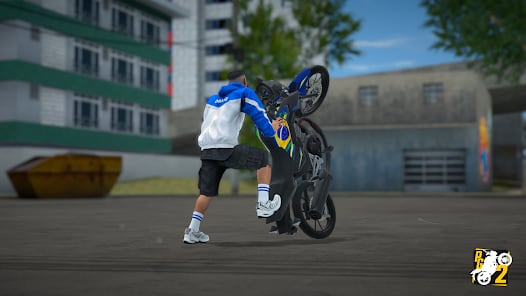
Even though it was built for smartphones, running the game on a desktop has some massive perks. A larger screen gives you a better view of the open city, day/night cycles, and dynamic weather. More importantly, using a keyboard for controls lets you map the throttle and brakes perfectly, making it much easier to balance a long wheelie or execute a clean stoppie. Plus, you get to save your phone’s battery for other things.
Step-by-step guide to download and install
To get Projeto Grau 2 working smoothly on your computer, the MEmu Android Emulator (or your preferred alternative like BlueStacks or LDPlayer) is a great and reliable choice. Just follow these steps:
- Head to the official MEmu website and download the Windows installer.
- Run the installation and launch the emulator.
- Open the Google Play Store within the emulator and log in with your Google account.
- Search for Projeto Grau 2 (look for the Insanity Group developer tag) and hit install.
- Once downloaded, start the game from the MEmu home screen.
Crucial Step: Enable Virtualization (VT) Before running any emulator, ensure Hardware Virtualization (VT-x for Intel, AMD-V for AMD) is enabled in your PC's BIOS. Without VT enabled, the emulator is limited to a single CPU core, resulting in a laggy, unplayable experience. Restart your PC, enter your motherboard's BIOS settings, and toggle Virtualization on.
Performance tips and keybinding setup
To get the absolute best out of Projeto Grau 2 on your desktop, don't ignore these essential emulator adjustments:
- Keyboard vs. Gamepad: Once the game boots up, click the keymapping icon usually found on the emulator's right-side toolbar. Drag and drop the standard tap controls over the in-game throttle and brake buttons. You can use comfortable keys (like W, A, S, D) or plug in an Xbox/PlayStation controller and map the triggers for console-level precision.
- Boost performance: Open-world games can be demanding. If you experience frame drops in traffic, check your emulator’s engine settings. Allocate at least 4 CPU cores and 4096 MB of RAM to ensure smooth physics calculations and rendering.
- Graphics scaling: Set your instance resolution to 1080p. It makes spotting traffic lights and admiring the night-time lighting engine a lot more enjoyable.
Troubleshooting common emulator issues
- Black Screen on Launch: This usually means your graphics drivers are outdated or the emulator is using the wrong rendering engine. Switch between OpenGL and DirectX in the emulator's graphics settings.
- Play Store Login Errors: Clear the cache of the Google Play Services app within the emulator's Android settings and restart the instance.
Exploring the open world and working jobs
Projeto Grau 2 isn't just about pulling wheelies and stoppies. The game features a fully realized open city with traffic, working traffic lights, dynamic weather, and day/night cycles. If you want to afford the best bikes and cars, you'll need to hit the grind.
You can take on delivery app jobs, freight transport, or even work as an electrician or lumberjack. Navigating the GPS minimap on a large desktop monitor makes completing these tasks a breeze.
Best new features in the latest update
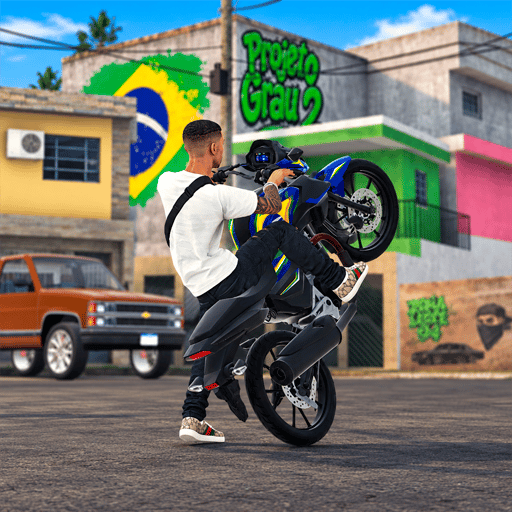
The developer keeps adding fresh content. The latest 1.0.8 update introduced the highly requested MT-07 motorcycle. There is also a new car wash (Lava-rápido) mechanic—your bikes get dirty as you ride, and you can now work washing them to earn extra cash.
The update also added a full wardrobe system, letting you customize your character with jackets, shorts, flip-flops, and hats.
Cross-Progression Note: Make sure to link your account via Google Play Games. This ensures your hard-earned cash, custom MT-07, and wardrobe items sync perfectly between your smartphone and PC.
Setting up Projeto Grau 2 on your PC is quick and totally transforms the way you handle the bikes. Set up your keybinds, hit the open world, and see how long you can hold that perfect wheelie.
Have you built the ultimate MT-07 or mastered the perfect stoppie? Share your customized rides and best clips with us on our social channels, and keep an eye on olagg.io for more guides on the biggest LATAM gaming hits!
0
0
Create your account and play OLA TCG Battle
You get 34 free credits — enough for 6 packs or 34 battles. No deposit.
Sign up and playEtiquetas


