

What's up, everyone! KIRA here. Projeto Grau 2 has officially taken the #1 Top Free spot on the Brazilian app stores. With its massive popularity, many players are experiencing mobile lag—but running the game on a PC emulator with the right settings can instantly boost your FPS and smooth out your stunts.
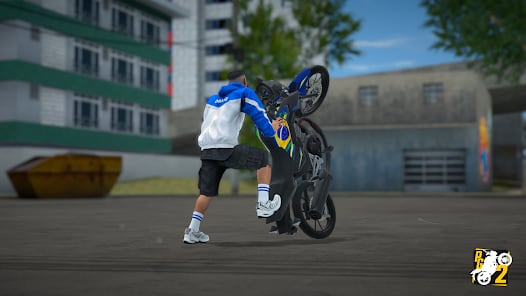
The Brazilian motorcycle stunt game by Insanity Group is dominating the charts. However, the open-world environments and realistic physics engines used to simulate the motorcycles in Projeto Grau 2 are extremely demanding. When you add dynamic traffic and multiplayer elements, even mid-range phones can overheat and throttle performance.
To hit the perfect "grau" (wheelie) without stuttering, many players are migrating to PC emulators like MEmu Play or BlueStacks. But if you're making the jump to PC, optimizing your emulator is crucial. Out of the box, emulators might not utilize your PC's full potential.
Best settings for Projeto Grau 2 on PC
- Enable Hardware Virtualization (VT): Before tweaking the emulator, ensure VT is enabled in your PC's BIOS. This is the single biggest factor for smooth gameplay, allowing the emulator to use your CPU's hardware virtualization capabilities.
- CPU and RAM Allocation: Open your emulator's settings and set Performance to at least "High" (typically 4 CPU cores and 4096 MB of RAM). This gives Projeto Grau 2 the breathing room it needs to render fast-moving city streets and traffic.
- Graphics Rendering Mode: Switch your rendering engine to OpenGL if you have a dedicated graphics card (NVIDIA/AMD), or DirectX if you are relying on integrated graphics. Make sure to toggle on "Use Dedicated GPU" if the option is available in your settings menu.
- FPS Settings: Lock your frame rate to a stable 60 FPS. While some emulators support 120 FPS, stabilizing at a solid 60 prevents drastic frame drops during complex stunts or when entering heavily populated zones.
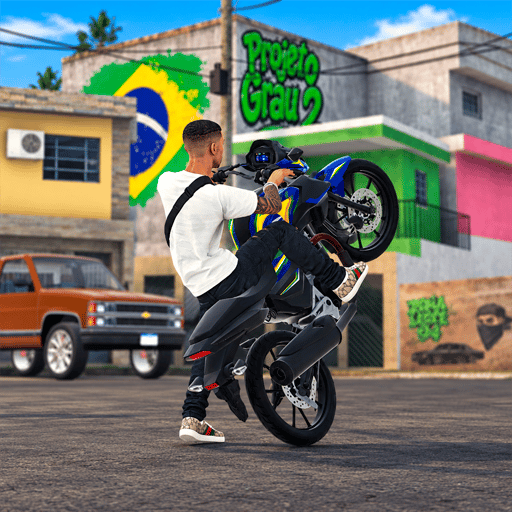
As the Insanity Group continues to push updates, we expect native mobile optimization to improve. But for now, tweaking your PC emulator remains one of the definitive ways to play competitively and capture smooth clips.
Are you playing Projeto Grau 2 on mobile or PC? Drop your preferred settings in the comments below or join our Discord community to share your best stunt clips! Catch you next time.
0
0
Create your account and play OLA TCG Battle
You get 34 free credits — enough for 6 packs or 34 battles. No deposit.
Sign up and playEtiquetas


