Cómo Crear y Unirse a un Guild en Grow a Garden 2 – Guía Completa 2026

'/%3e%3cpath%20d='M4.94162%205.99547L4.02701%205.08086L3.63428%205.47359L4.94162%206.78093L7.63768%204.08487L7.24495%203.69214L4.94162%205.99547Z'%20fill='white'/%3e%3cdefs%3e%3clinearGradient%20id='paint0_linear_2302_10195'%20x1='0.5'%20y1='10'%20x2='10.4939'%20y2='10'%20gradientUnits='userSpaceOnUse'%3e%3cstop%20stop-color='%234E10FF'/%3e%3cstop%20offset='1'%20stop-color='%23AB17DF'/%3e%3c/linearGradient%3e%3c/defs%3e%3c/svg%3e)
Las Guilds (Gremios) son una de las novedades más importantes de Grow a Garden 2. Te permiten trabajar en equipo con otros jugadores para conseguir recompensas semanales exclusivas. Aquí tienes una guía completa para crear, unirte y gestionar un gremio.
Cómo Crear un Guild
- Dirígete al centro del mapa, donde están todas las tiendas.
- Busca el Guild Stall (puesto naranja y blanco con un escudo que tiene una zanahoria y un trigo).
- Habla con Gilbert.
- Selecciona Create Guild.
Deberás pagar 99 Robux para crear el gremio. No se puede pagar con Sheckles.
Luego completa:
Tu cuenta de OLA vale premios
Juega La Garra, busca el tesoro y canjea en la Tienda. Crear la cuenta es gratis.
Crear mi cuenta- Nombre del Guild (máximo 24 caracteres)
- Tag del Guild (máximo 5 caracteres)
- Descripción (máximo 200 caracteres)
- Imagen y color (opcional)
Una vez creado, ya puedes invitar miembros.
Cómo Unirte a un Guild
- Si alguien te invita, verás un signo de exclamación rojo sobre tu Mailbox.
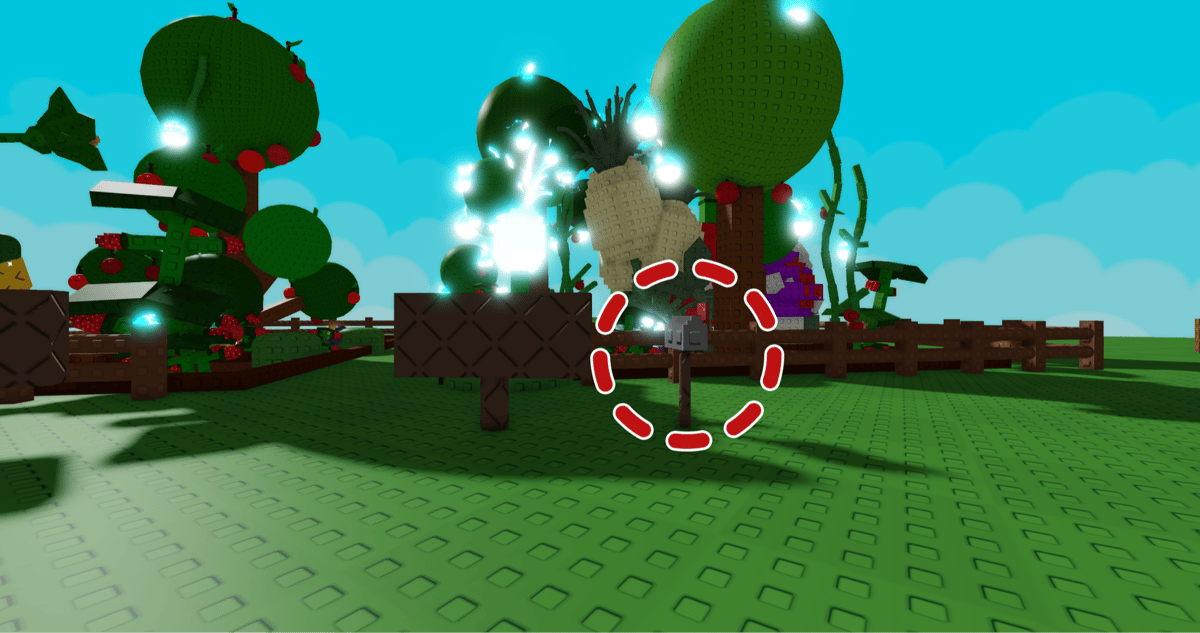
- Ve al Mailbox que está fuera de tu jardín.
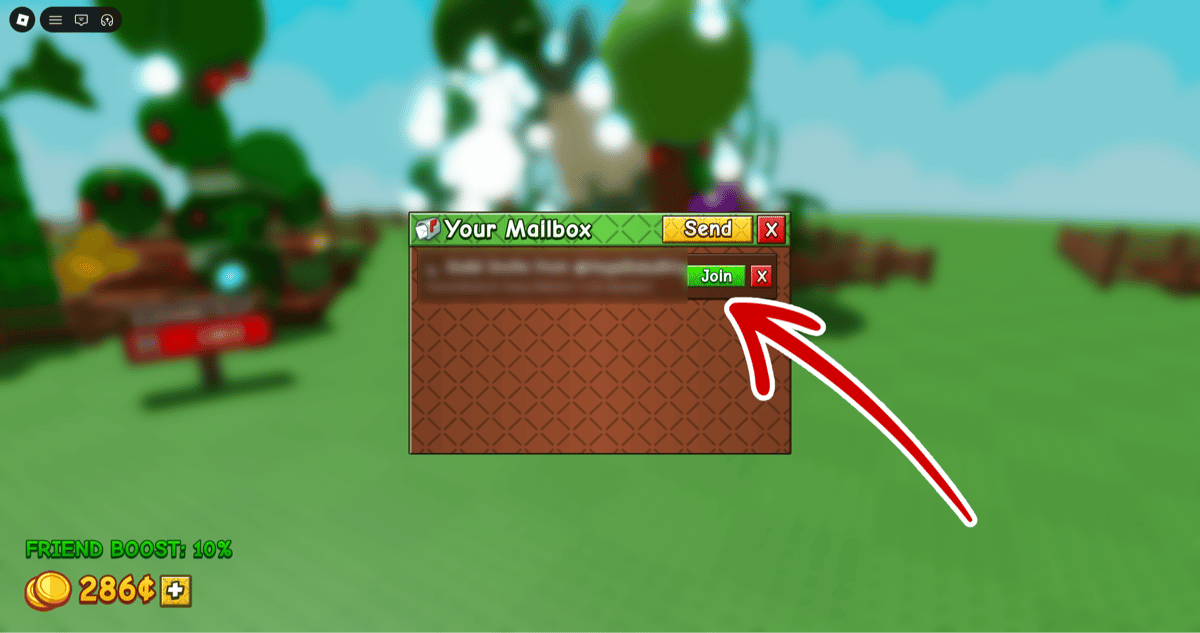
- Pulsa View Mailbox → Mail.
- Busca la invitación y pulsa el botón verde Join.
Nota: Solo puedes unirte si la persona que te invita está en el mismo servidor que tú.
Cómo Gestionar tu Guild (Para Dueños)
- Invitar miembros: Habla con Gilbert → View Guild → Invite
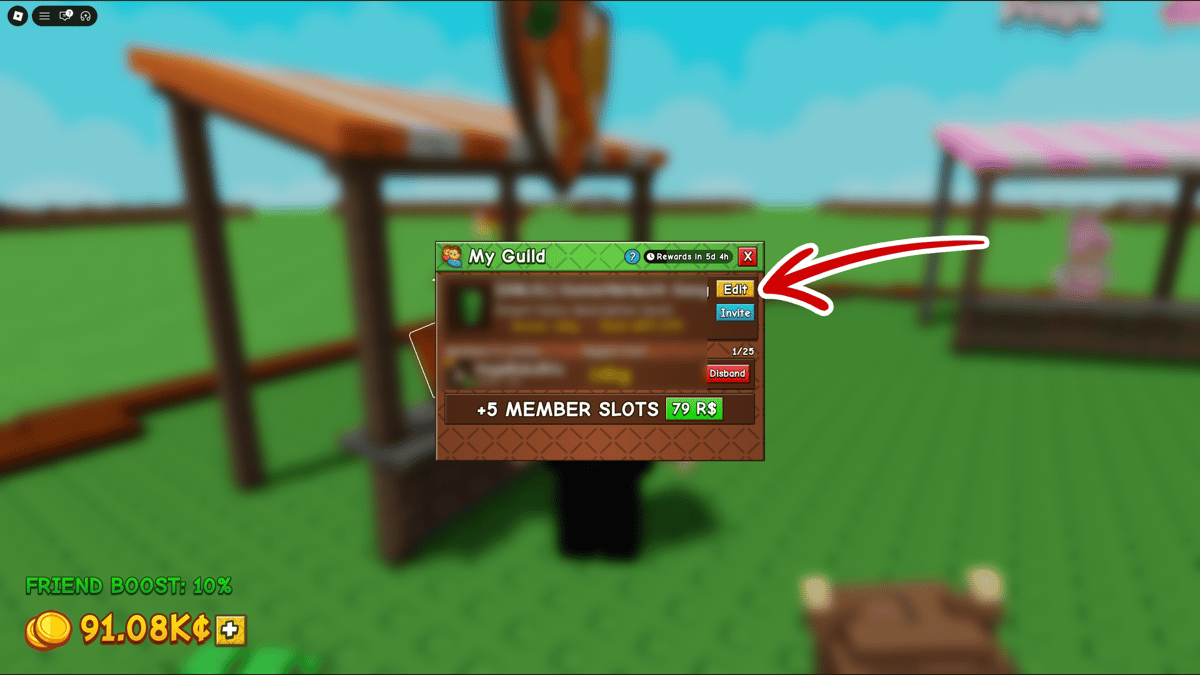
- Editar Guild: View Guild → Edit (nombre, tag, descripción, imagen y colores)
- Ascender a Elder (Moderador): Hasta 5 Elders por guild. Tienen permiso para expulsar miembros.
- Expulsar miembro: View Guild → botón rojo Kick
- Disolver el Guild: View Guild → botón rojo Disband (en tu propio nombre)
Límite inicial: 25 miembros. Puedes comprar más slots (primer upgrade: +5 por 79 Robux).
Consejos Útiles
- Crear un Guild cuesta dinero real (99 Robux), pero unirse es totalmente gratis.
- Los Guilds compiten cada semana por recompensas exclusivas.
- Es recomendable elegir miembros activos y de confianza.
¿Quieres más guías de Grow a Garden 2?
Estrategias, códigos y consejos para progresar más rápido
Únete a nuestro Discord1
0
Otras novedades que podrían interesarte
Etiquetas


