
'/%3e%3cpath%20d='M4.94162%205.99547L4.02701%205.08086L3.63428%205.47359L4.94162%206.78093L7.63768%204.08487L7.24495%203.69214L4.94162%205.99547Z'%20fill='white'/%3e%3cdefs%3e%3clinearGradient%20id='paint0_linear_2302_10195'%20x1='0.5'%20y1='10'%20x2='10.4939'%20y2='10'%20gradientUnits='userSpaceOnUse'%3e%3cstop%20stop-color='%234E10FF'/%3e%3cstop%20offset='1'%20stop-color='%23AB17DF'/%3e%3c/linearGradient%3e%3c/defs%3e%3c/svg%3e)
En 2026, Counter-Strike 2 continúa siendo un juego exigente en términos de rendimiento, especialmente para quienes compiten y buscan la mayor estabilidad posible.
Las opciones de lanzamiento permiten ajustar cómo se inicia el juego desde Steam, lo que puede ayudar a mejorar los FPS y reducir pequeños retrasos.
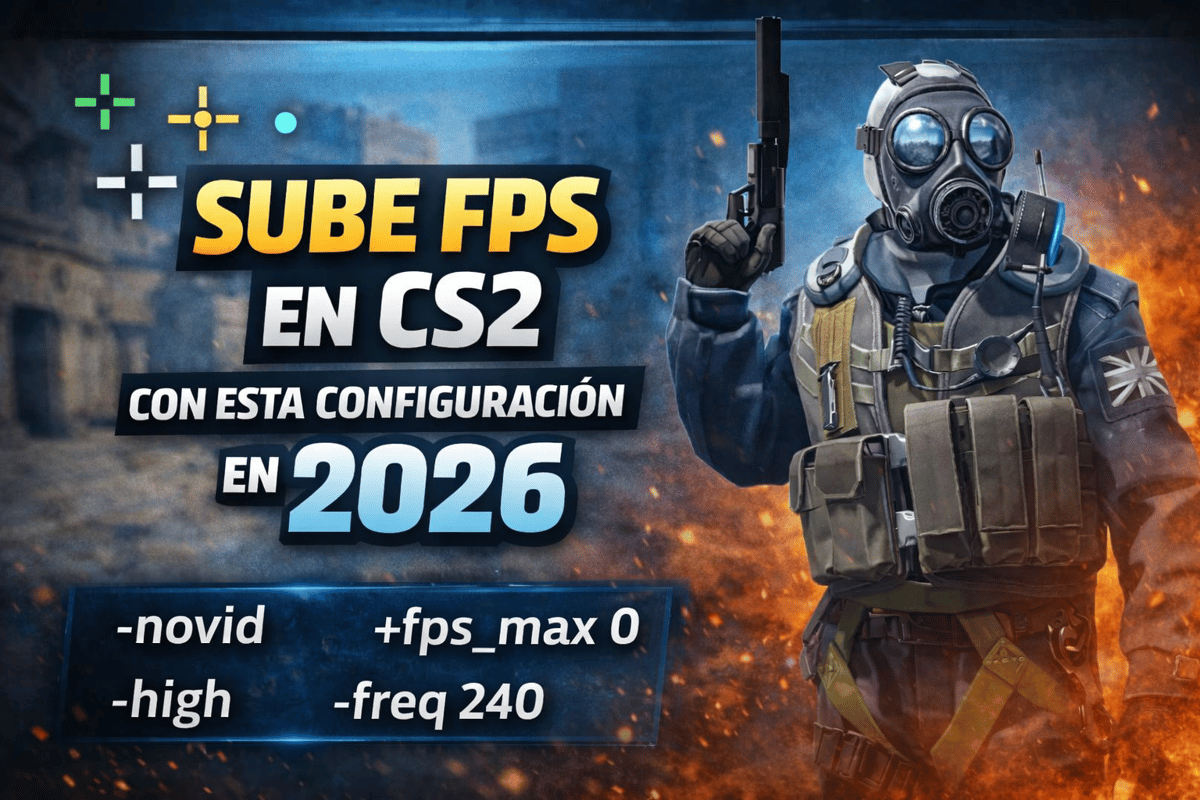
¿Qué son las opciones de lanzamiento en CS2?
Las opciones de lanzamiento son comandos que se escriben en Steam y se ejecutan automáticamente cada vez que se abre el juego. Sirven para modificar prioridades, desactivar funciones innecesarias o ajustar parámetros técnicos desde el inicio.
Estas opciones complementan la configuración gráfica interna y las optimizaciones del sistema operativo.
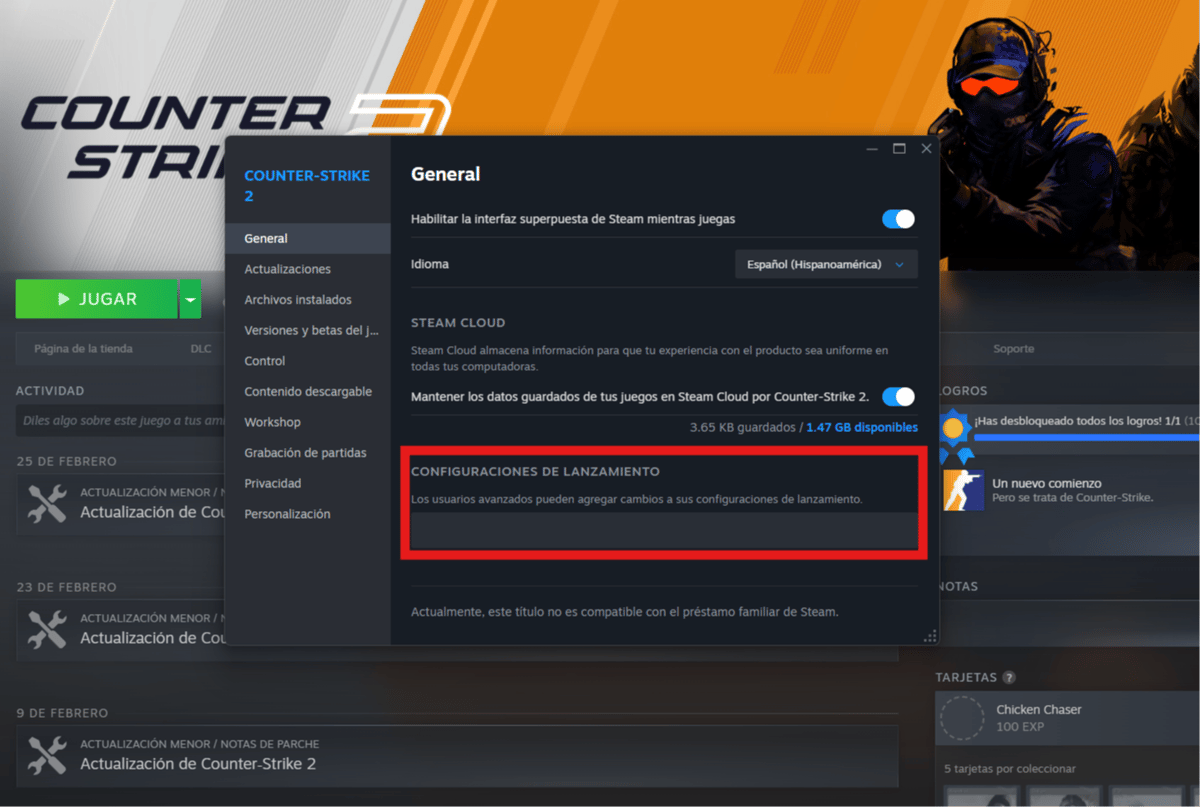
Cómo configurar las opciones de lanzamiento en CS2
- Abrir Steam.
- Ir a la Biblioteca.
- Hacer clic derecho en Counter-Strike 2.
- Seleccionar Propiedades.
- En el campo Opciones de lanzamiento, pegar los comandos separados por espacios.
- Cerrar y reiniciar el juego.
Para verificar los FPS dentro del juego se puede usar el comando cl_showfps 1 en la consola.
Opciones de lanzamiento que sí funcionan en 2026
A continuación se detallan los comandos que siguen teniendo efecto en el motor Source 2.
+exec autoexec.cfg
Ejecuta automáticamente el archivo autoexec.cfg al iniciar el juego.
Es útil para quienes utilizan configuraciones personalizadas.
Tu cuenta de OLA vale premios
Juega La Garra, busca el tesoro y canjea en la Tienda. Crear la cuenta es gratis.
Crear mi cuenta-nojoy
Desactiva el soporte para controladores.
Evita entradas accidentales si hay un mando conectado y libera una pequeña cantidad de memoria.
Recomendado para jugadores que usan únicamente teclado y mouse.
-novid
Salta el video inicial al abrir el juego.
No aumenta FPS, pero reduce el tiempo de carga.
-high
Inicia el juego con prioridad alta en la CPU.
Puede reducir microcortes y mejorar estabilidad en equipos de rendimiento medio o bajo.
+fps_max 0
Elimina el límite de FPS.
Permite que el juego genere la mayor cantidad de cuadros posibles según el hardware.
En equipos de gama media puede ser recomendable usar un valor fijo como 300 o 400 para mantener estabilidad.
-freq [Hz]
Fuerza la frecuencia de actualización del monitor.
Ejemplo: -freq 240 para monitores de 240 Hz.
Asegura que el juego utilice correctamente la tasa de refresco disponible.
-forcenovsync
Desactiva la sincronización vertical forzada.
Puede reducir la latencia si el V-Sync estaba activo.
-console
Inicia el juego con la consola habilitada.
No mejora FPS directamente, pero facilita ajustes internos.
+mat_queue_mode 2 (experimental)
Permite aprovechar mejor procesadores con varios núcleos.
En algunos equipos puede aumentar FPS, aunque se recomienda probarlo con precaución.
Configuración recomendada para máximo rendimiento en 2026
Un conjunto común de opciones de lanzamiento es:
+fps_max 0 -nojoy -high -novid -freq 240 -forcenovsync -console +mat_queue_mode 2
El valor de `-freq` debe coincidir con la frecuencia real del monitor.
¿Buscas dúo o equipo para jugar CS2?
Si estás probando nuevas miras en CS2 y quieres llevar tu nivel al siguiente paso, jugar acompañado puede marcar la diferencia.
En el Discord de OLA GG BR es posible encontrar:
- Jugadores de todos los rangos
- Dúos para rankeds
- Equipos para partidas competitivas
- Personas activas para casuales y práctica
La comunidad está enfocada en conectar jugadores que quieren mejorar, competir o simplemente disfrutar del juego en grupo.
Dentro del servidor podrás presentarte, indicar tu rango y empezar a armar equipo desde el primer día.
Comandos que ya no funcionan en CS2
Algunos comandos populares de versiones anteriores dejaron de tener efecto en 2026:
-threads X-tickrate 128(solo funciona sin conexión)+cl_interpcl_cmdrate
El motor Source 2 gestiona estos parámetros de forma diferente.
Recomendaciones adicionales para mejorar FPS en CS2
Además de las opciones de lanzamiento, se recomienda:
- Usar configuración gráfica baja.
- Mantener drivers actualizados.
- Desactivar sincronización vertical.
- Ajustar correctamente la frecuencia del monitor.
- Optimizar Windows y el panel de control de la tarjeta gráfica.
Las opciones de lanzamiento pueden aportar mejoras puntuales, pero el mayor impacto proviene de una optimización completa del sistema.
En 2026, configurar correctamente las opciones de lanzamiento en CS2 sigue siendo una práctica útil para quienes buscan mayor estabilidad y fluidez. Lo recomendable es probar cada comando, medir resultados y mantener solo aquellos que realmente aporten mejoras en cada equipo.
4
0
Otras novedades que podrían interesarte
Etiquetas


