
'/%3e%3cpath%20d='M4.94162%205.99547L4.02701%205.08086L3.63428%205.47359L4.94162%206.78093L7.63768%204.08487L7.24495%203.69214L4.94162%205.99547Z'%20fill='white'/%3e%3cdefs%3e%3clinearGradient%20id='paint0_linear_2302_10195'%20x1='0.5'%20y1='10'%20x2='10.4939'%20y2='10'%20gradientUnits='userSpaceOnUse'%3e%3cstop%20stop-color='%234E10FF'/%3e%3cstop%20offset='1'%20stop-color='%23AB17DF'/%3e%3c/linearGradient%3e%3c/defs%3e%3c/svg%3e)
Undertale is a brilliant game, but it has the drawback of being available only in English by default. If you spend many hours playing and get completely hooked, you'll likely end up understanding the dialogue by heart. However, the best experience is achieved by enjoying this great story in your own language. In this article, we will show you step-by-step how to patch Undertale into Spanish.
Prerequisites for Patching Undertale to Spanish
Before starting with the file modification, you need to install the base game on your computer through Steam or GOG. Once you have the title ready in your library, you must obtain the translation tools developed by the community.
For this tutorial, we will use the official community installer patch, which you can download directly from the website https://undertale-spanish.com. We recommend always using this assisted version; using only the loose file without an installer can alter other game elements and cause execution errors.
Your OLA account is worth prizes
Play the Claw, hunt the treasure and redeem in the Store. Creating an account is free.
Create my accountStep-by-Step: How to Apply the Patch on Steam
Many users make the mistake of running the installer immediately, only to find that the translation does not work. Follow these detailed steps to perform the process correctly:
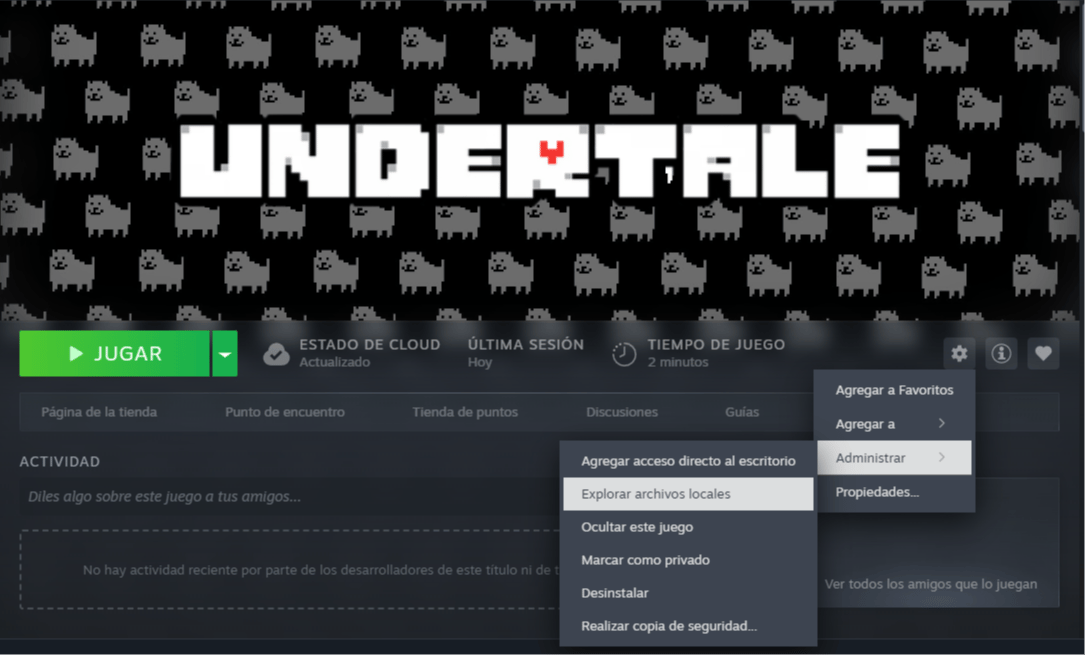
- Find the local files: Right-click on Undertale in your Steam library. Select the option Manage -> Browse local files and copy the folder address that opens in your explorer.
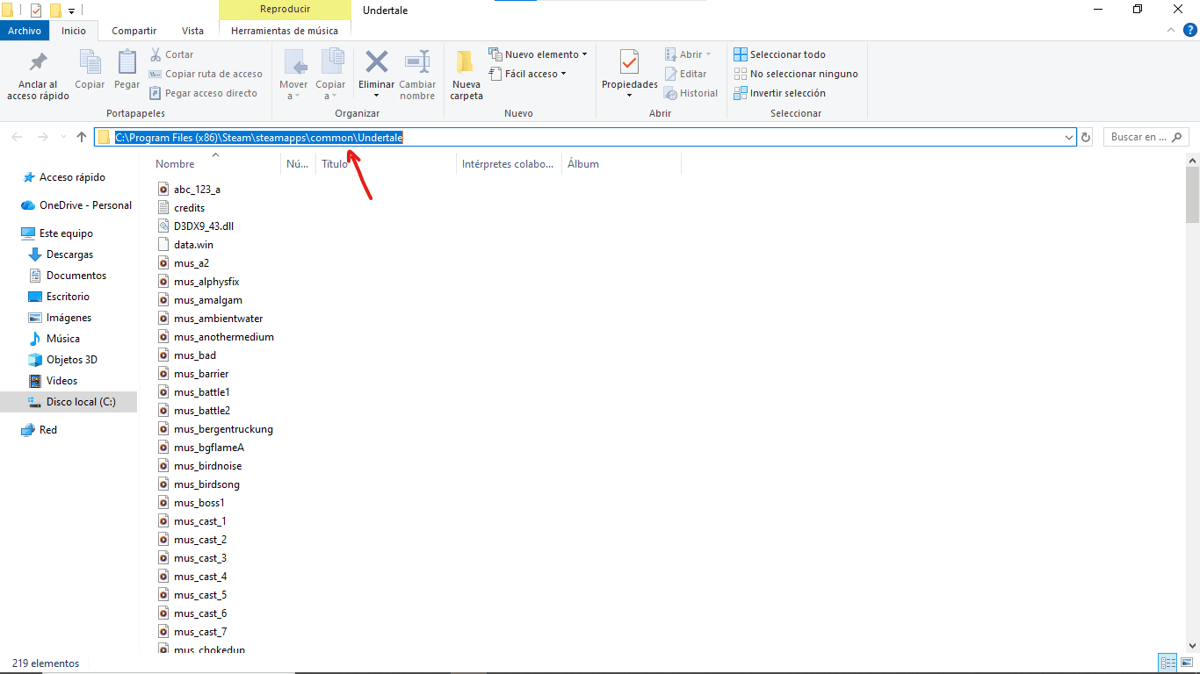
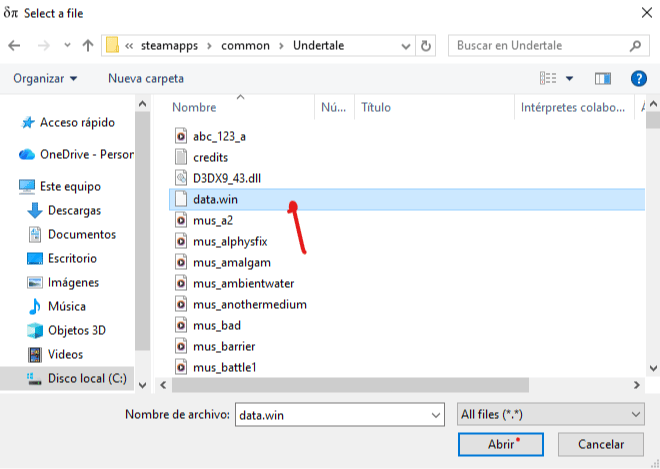
- Select the base file: Open the patch installer. In the Original file box, paste the address you copied earlier and select the specific file named "data.win".
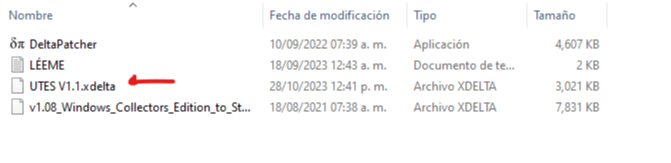
- Load the translation: In the Xdelta patch section, browse for the translation file named "UTES v1.1" within your downloads and open it in the program.
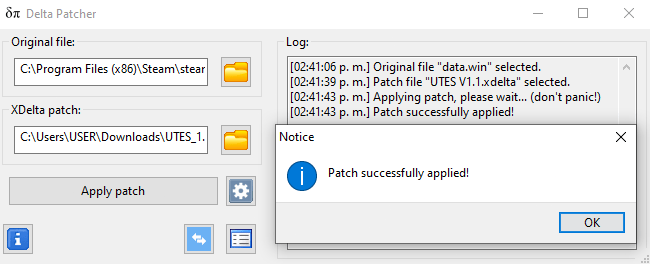
- Execute the installation: Press the Apply patch button. The installer will notify you in a few seconds that the translation has been completed successfully.
Final Language Configuration
Once the installer confirms the success of the patch, start the game as usual from your preferred platform. If the menu text or dialogue still appears in English, go to the Settings section within the game and change the language to Spanish manually. Now you are ready to enjoy the entire adventure in the underground!
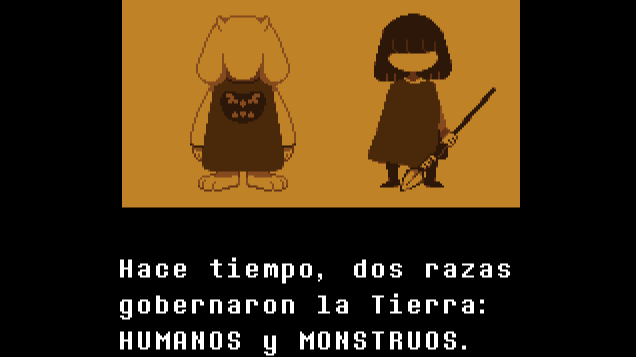
Congratulations, you can now play Undertale in Spanish!
1
0
Other news you might be interested in
Etiquetas


