
'/%3e%3cpath%20d='M4.94162%205.99547L4.02701%205.08086L3.63428%205.47359L4.94162%206.78093L7.63768%204.08487L7.24495%203.69214L4.94162%205.99547Z'%20fill='white'/%3e%3cdefs%3e%3clinearGradient%20id='paint0_linear_2302_10195'%20x1='0.5'%20y1='10'%20x2='10.4939'%20y2='10'%20gradientUnits='userSpaceOnUse'%3e%3cstop%20stop-color='%234E10FF'/%3e%3cstop%20offset='1'%20stop-color='%23AB17DF'/%3e%3c/linearGradient%3e%3c/defs%3e%3c/svg%3e)
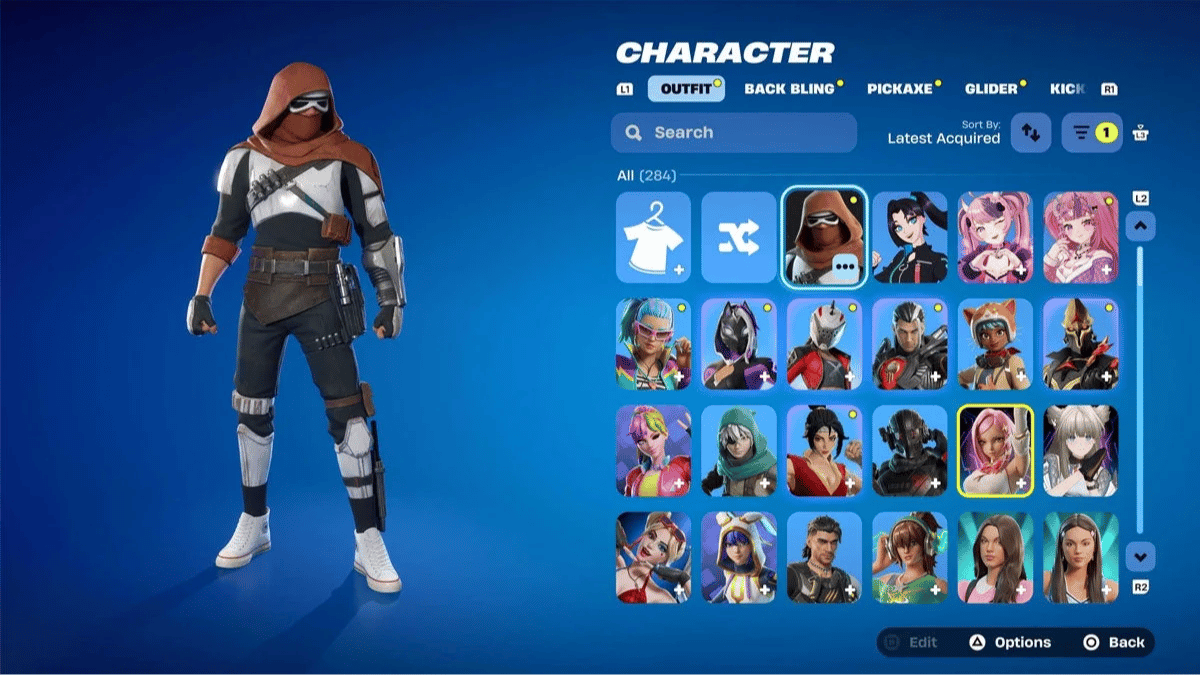
The Forsworn Trooper is a Fortnite skin that requires linking your Epic Games and Disney accounts, as well as visiting Disneyland in California or Disney World in Florida to complete a special mission.
To get it, you must ride the Star Wars Millennium Falcon: Smugglers Run attraction. There is currently no official deadline for completing this mission.
Requirements Before Riding Smugglers Run
Before riding the attraction, it is important to complete all the necessary steps. Progress is not retroactive, so a visit made before properly configuring the accounts and permissions may not count.
- Link your Epic Games account with your myDisney account through the "Linked accounts" section on Epic Games.
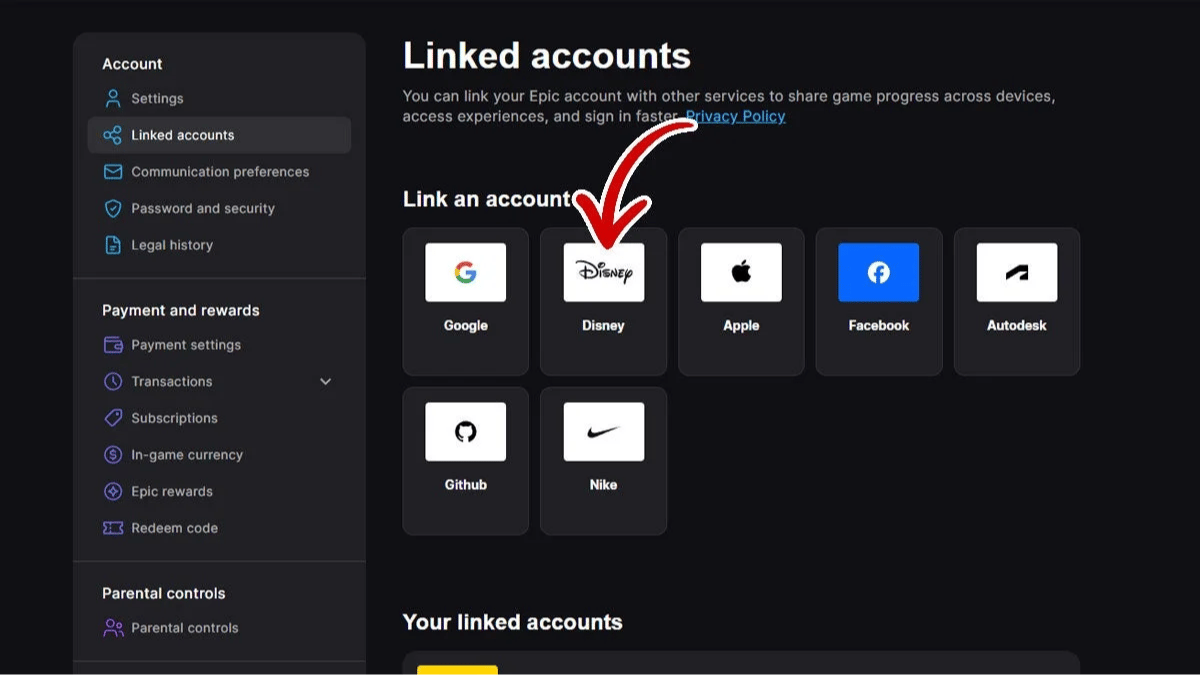
- Download the Disneyland app if you are visiting California or My Disney Experience if you are visiting Disney World. Sign in with the Disney account linked to Epic Games.
- Enable Location Services for the app and set them to "Always" on iOS or "Allow all the time" on Android.
- Turn off Low Power Mode on iOS or Power Saving Mode on Android before riding the attraction.
Create your account and play OLA TCG Battle
You get 34 free credits — enough for 6 packs or 34 battles. No deposit.
Sign up and play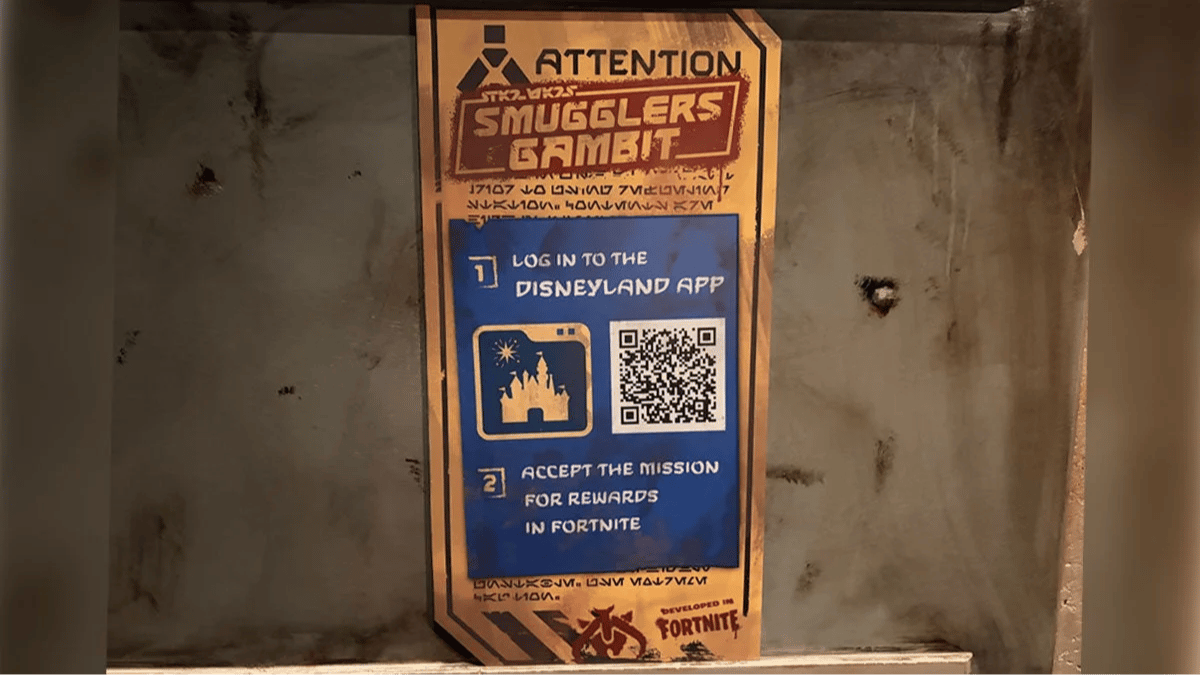
How to Activate the Fortnite Mission
Once the requirements above are complete, open the Disney app and find Millennium Falcon: Smugglers Run on the map, inside the Star Wars: Galaxy's Edge area.
Scroll through the attraction's information until you find the Fortnite icon next to "Find on Map". Select it and the Millennium Falcon: Smugglers Run mission will appear.
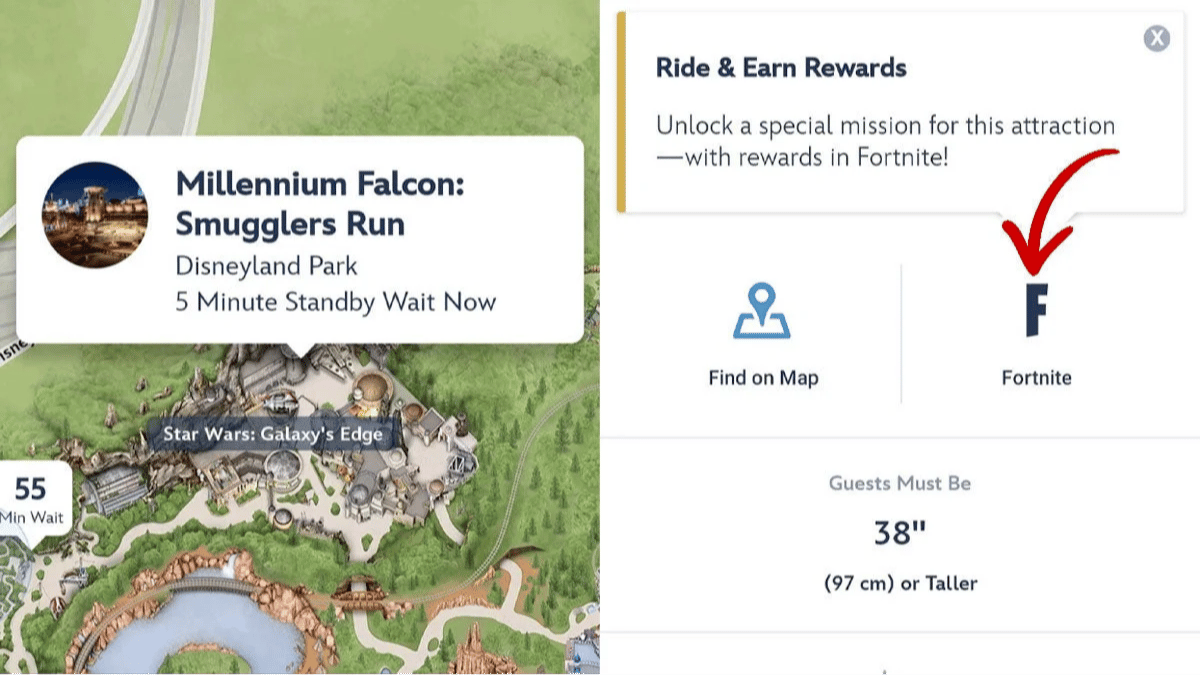
Select "View Mission Details" and accept the mission. Before entering the attraction, make sure the app displays the notification indicating that the mission is active.
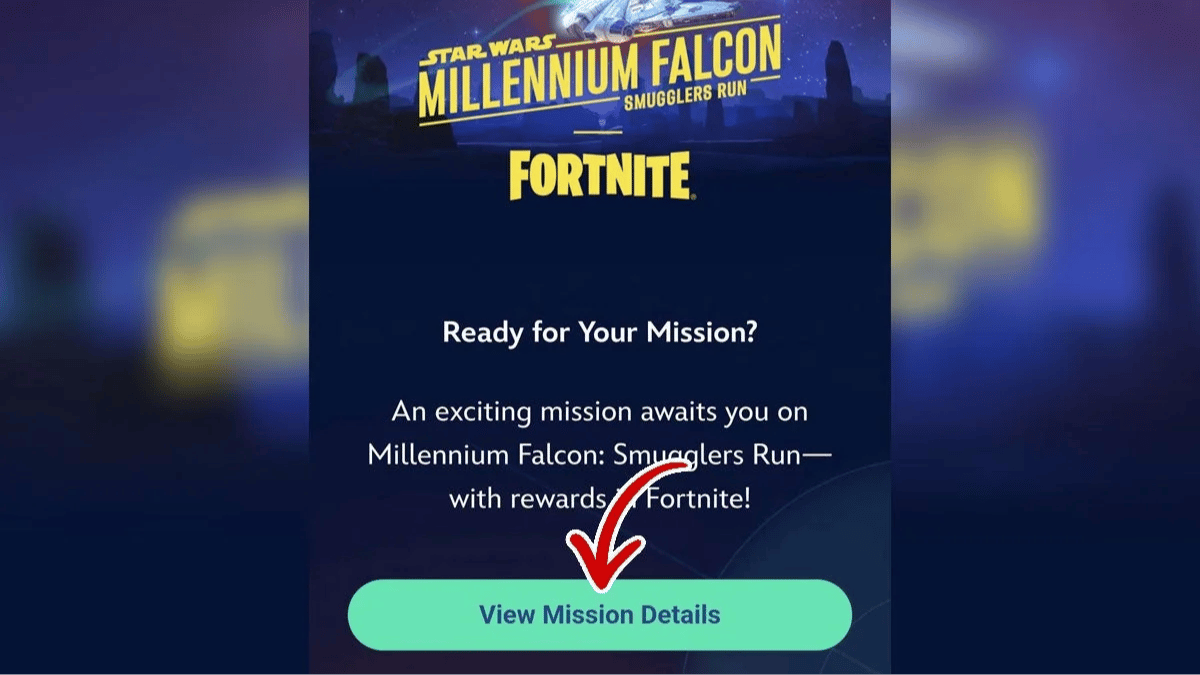
Then, keep your phone with you in a safe place and complete the Smugglers Run attraction.
What to Do After Completing the Attraction
After finishing the ride, open the Disney app again. You should see a notification indicating that you completed the mission and earned Fortnite rewards.
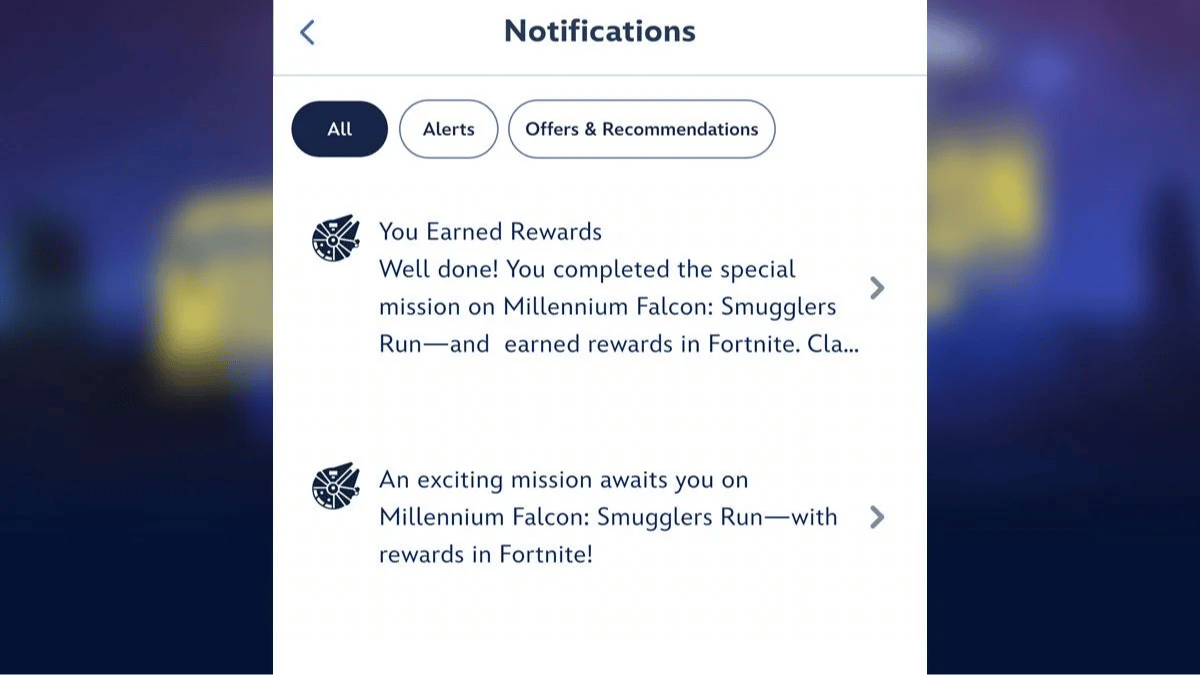
Select the notification and open "Mission Success". Then:
- Select "Log in with MyDisney" and sign in.
- Select "Claim for myself" if you want to receive the reward on your own account.
- Select "Share Disney Experiences data" and follow the instructions.
- Sign in to your Epic Games account again.
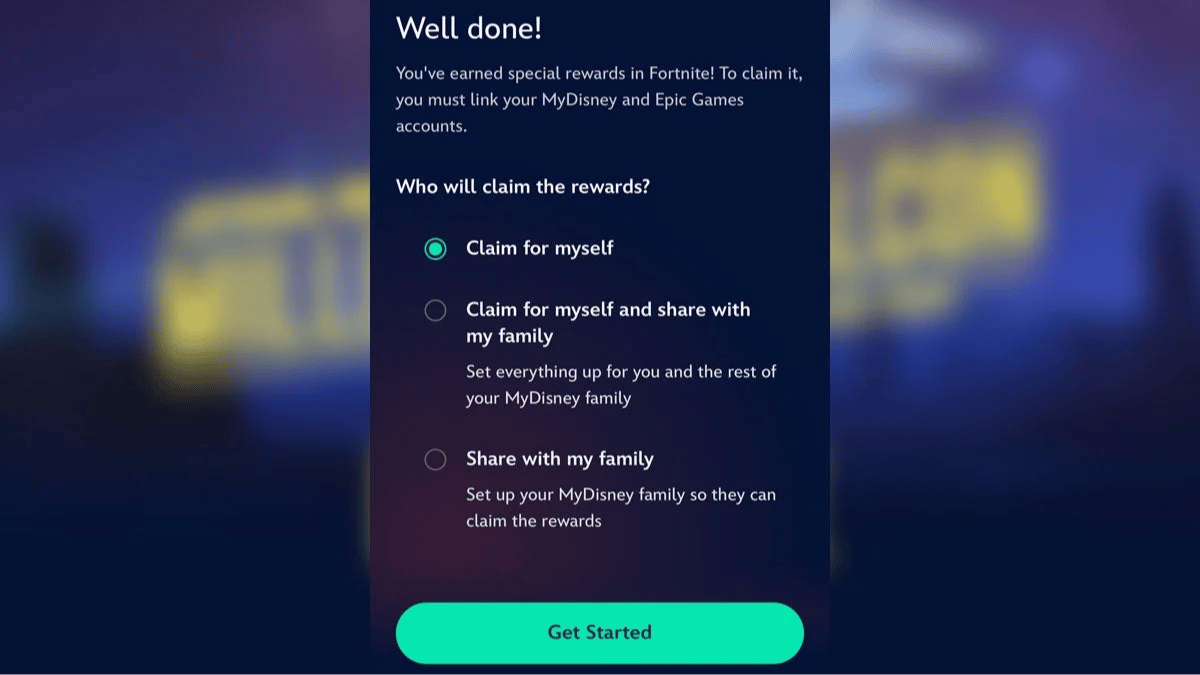
Once the process is complete, the mission page should say "You're all set!".
How to Claim the Forsworn Trooper in Fortnite
Once you return home, open Fortnite and enter the following code in the Discover search bar:
747426862725
The Star Wars: Smugglers Gambit experience will appear. Enter it and complete the tutorial if it is your first time.
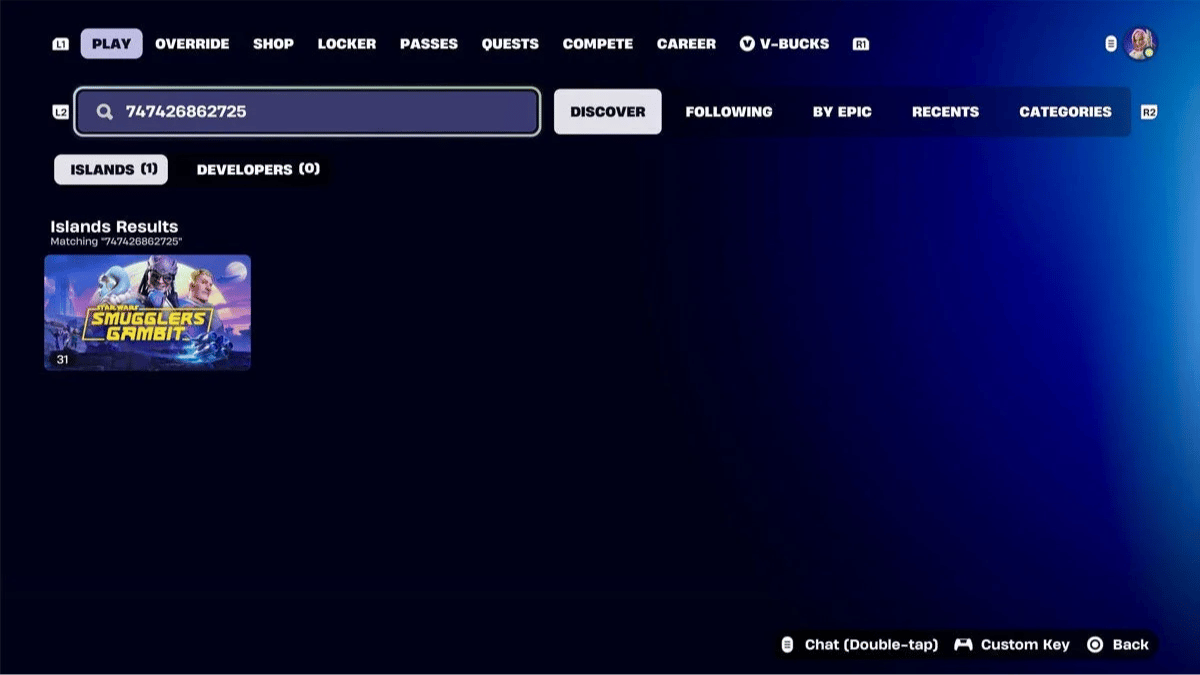
When the game tells you to return to Hondo, speak with him and select "SMUGGLERS RUN CRATES".
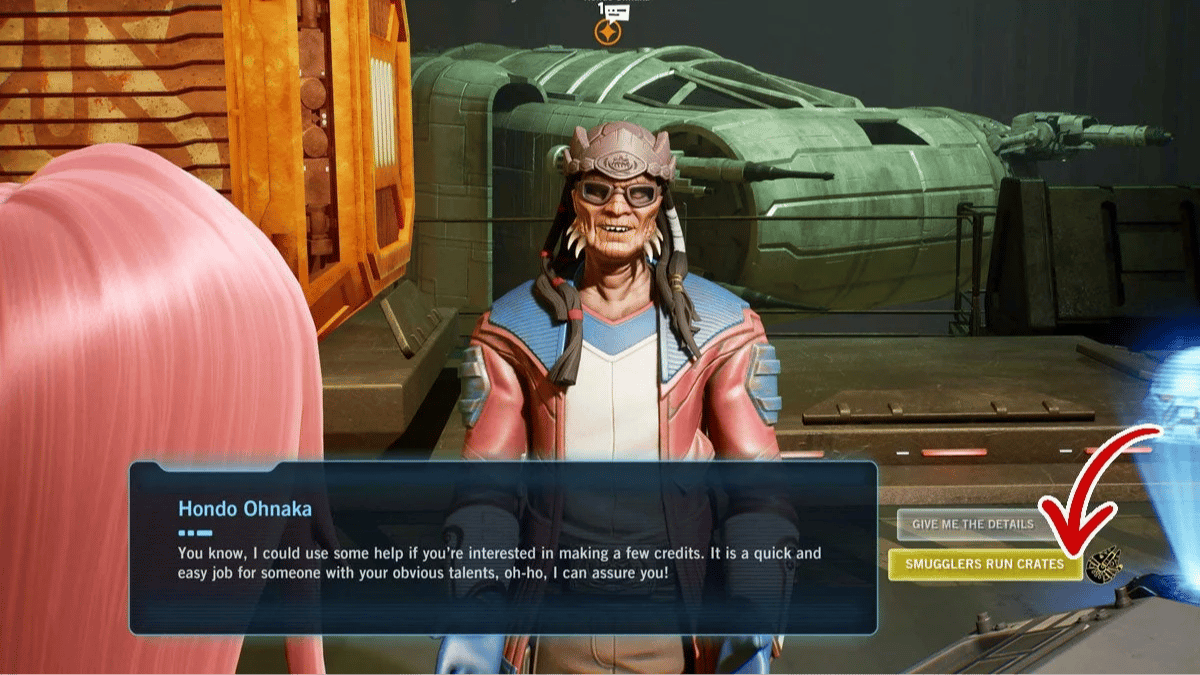
Two crates will appear. Open one of them to receive the rewards, including the Forsworn Trooper.
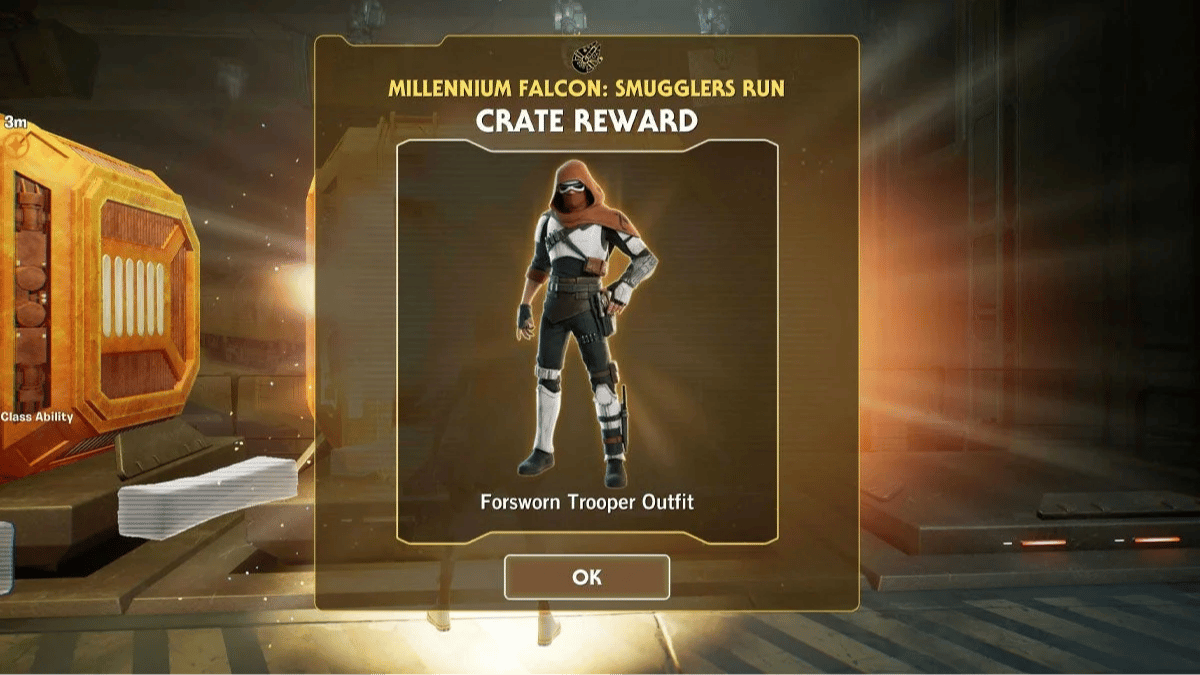
Once you have received the reward, you can return to the lobby and check out the new skin in your locker.
0
0
Other news you might be interested in
Etiquetas


