
'/%3e%3cpath%20d='M4.94162%205.99547L4.02701%205.08086L3.63428%205.47359L4.94162%206.78093L7.63768%204.08487L7.24495%203.69214L4.94162%205.99547Z'%20fill='white'/%3e%3cdefs%3e%3clinearGradient%20id='paint0_linear_2302_10195'%20x1='0.5'%20y1='10'%20x2='10.4939'%20y2='10'%20gradientUnits='userSpaceOnUse'%3e%3cstop%20stop-color='%234E10FF'/%3e%3cstop%20offset='1'%20stop-color='%23AB17DF'/%3e%3c/linearGradient%3e%3c/defs%3e%3c/svg%3e)
Step 1: Log in to your OLA account
First, you need to log in to your OLA account. To do so, go to the login page of OLAGG.
Step 2: Go to "My Rewards"
After logging in, select the option "My Rewards" from the left side menu or click on the following link: My Rewards.
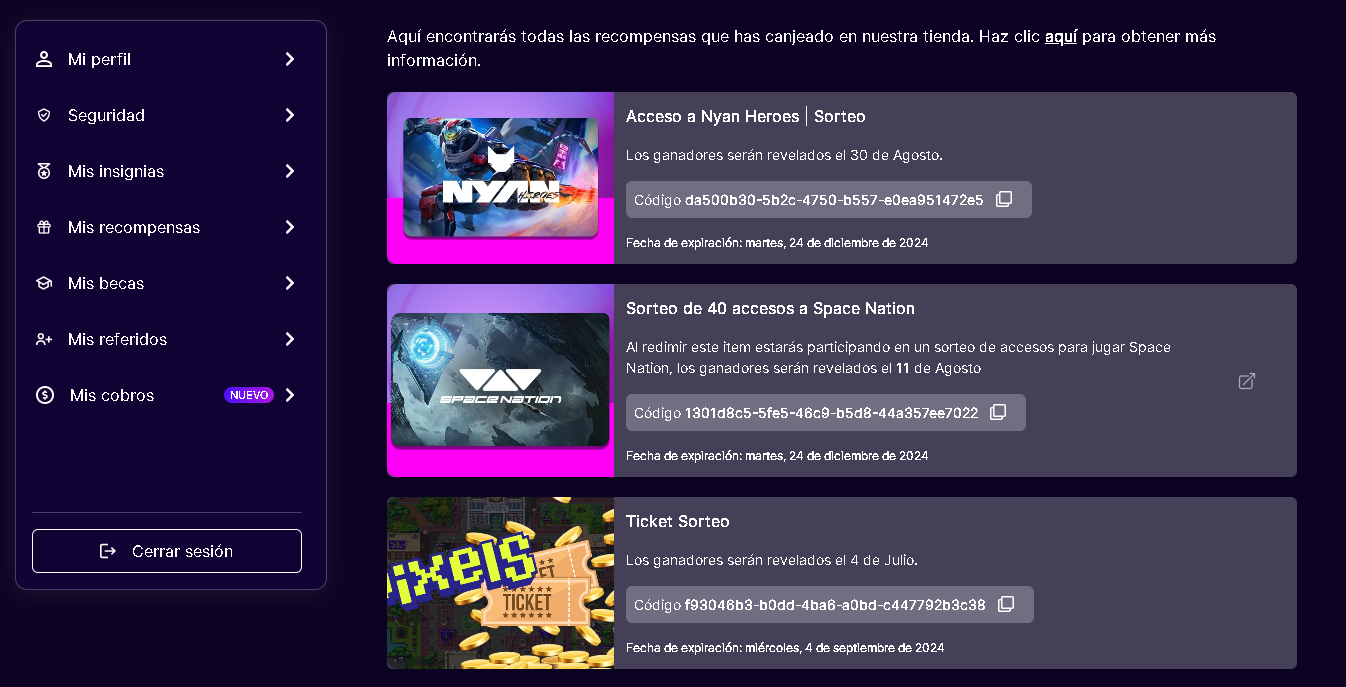
Here you will see a list of all the rewards you have accumulated, including details of the draws, codes, and expiration dates.
Step 3: Go to "My Payments"
To start claiming your payments, click on the "My Payments" section from the side menu. You can access it directly by clicking on the link: My Payments. On this page, you will see a summary of all your payments, divided into three categories: All, Pending, and Claimed.
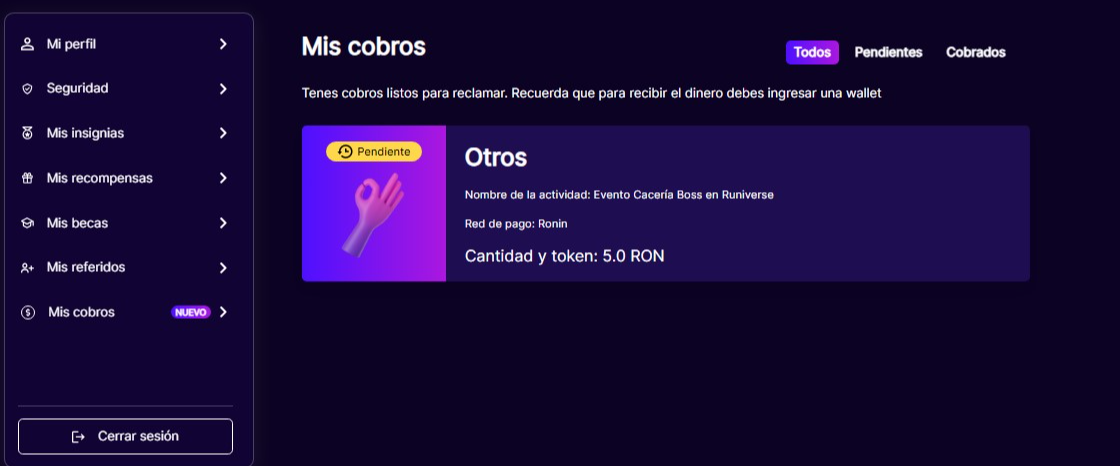
Step 4: Review pending payments
In the "My Payments" section, check the payments listed as Pending. These payments are ready to be claimed. You will see information about the activity that generated the payment, the payment network, and the amount and token to receive.
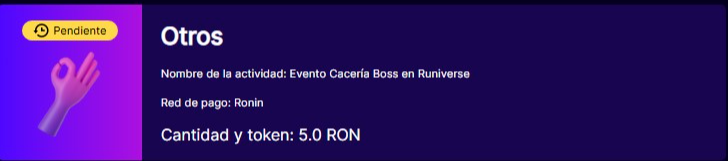
Click on the pending payment you wish to claim. An option to enter your wallet details in the corresponding payment network will appear. Make sure to enter your wallet address correctly to avoid issues with the payment transfer.
Confirm the payment request After entering your wallet, review that all information is correct and confirm the payment request. Once confirmed, the payment will be processed and the corresponding amount will be transferred to your wallet.
Additional Considerations
- Verify your Wallet: Make sure that your wallet address is correct and linked to the appropriate payment network (for example, Ronin) to avoid errors.
- Monitor Progress: You can go back to the "My Payouts" section at any time to monitor the status of your payments. Successfully processed payouts will appear in the Paid section.
- Support: If you encounter any issues during the process, contact OLA support for assistance.
By following these steps, you will be able to claim your payments effectively on OLA and enjoy the accumulated rewards.
1
0
NEWSLETTER
Subscribe!
And find out the latest news
Other news you might be interested in
Etiquetas


