
'/%3e%3cpath%20d='M4.94162%205.99547L4.02701%205.08086L3.63428%205.47359L4.94162%206.78093L7.63768%204.08487L7.24495%203.69214L4.94162%205.99547Z'%20fill='white'/%3e%3cdefs%3e%3clinearGradient%20id='paint0_linear_2302_10195'%20x1='0.5'%20y1='10'%20x2='10.4939'%20y2='10'%20gradientUnits='userSpaceOnUse'%3e%3cstop%20stop-color='%234E10FF'/%3e%3cstop%20offset='1'%20stop-color='%23AB17DF'/%3e%3c/linearGradient%3e%3c/defs%3e%3c/svg%3e)
Hytale es un videojuego sandbox desarrollado por Hypixel Studios que combina exploración, construcción y creación de contenido. Desde su lanzamiento, la comunidad ha comenzado a desarrollar mods que amplían las mecánicas del juego, añaden nuevas funciones y modifican la experiencia base.
A diferencia de otros juegos del género, Hytale cuenta con una arquitectura particular para el uso de mods. Por esta razón, es importante comprender cómo funciona su sistema de modificación antes de intentar instalar contenido adicional.
Cómo funciona el sistema de mods en Hytale
Uno de los aspectos clave de Hytale es que la mayoría de los mods se ejecutan del lado del servidor, no directamente en el cliente del juego. El cliente está desarrollado en C# y compilado, lo que impide modificar su ejecutable de forma tradicional.
En la práctica, esto significa que:
- Los mods controlan la lógica del juego desde el servidor.
- El contenido modificado se sincroniza automáticamente con el jugador al conectarse.
- No es necesario modificar archivos internos del cliente para jugar con mods compatibles.
Tu cuenta de OLA vale premios
Juega La Garra, busca el tesoro y canjea en la Tienda. Crear la cuenta es gratis.
Crear mi cuentaEste enfoque permite una mayor estabilidad y facilita el uso de mods tanto en mundos individuales como en servidores multijugador.
Formas de instalar mods en Hytale
Instalación manual en mundos individuales o locales
Cuando se juega en modo local o en un mundo individual, los mods se gestionan desde una carpeta específica del juego.
Primero, se debe cerrar Hytale si está en ejecución. Luego, se accede a la carpeta de mods según el sistema operativo:
- Windows:AppData\Roaming\Hytale\UserData\Mods
En esta carpeta se colocan los archivos del mod, normalmente en formato .jar o .zip. No deben descomprimirse, salvo que el desarrollador del mod lo indique explícitamente, como es el caso de la traducción al idioma local.
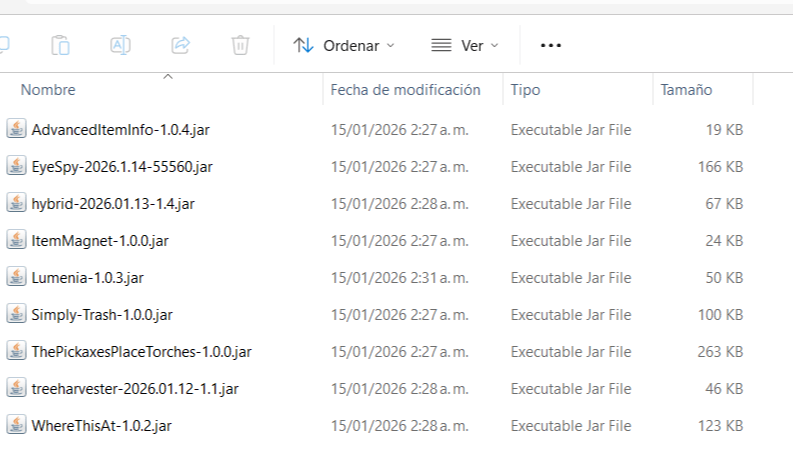
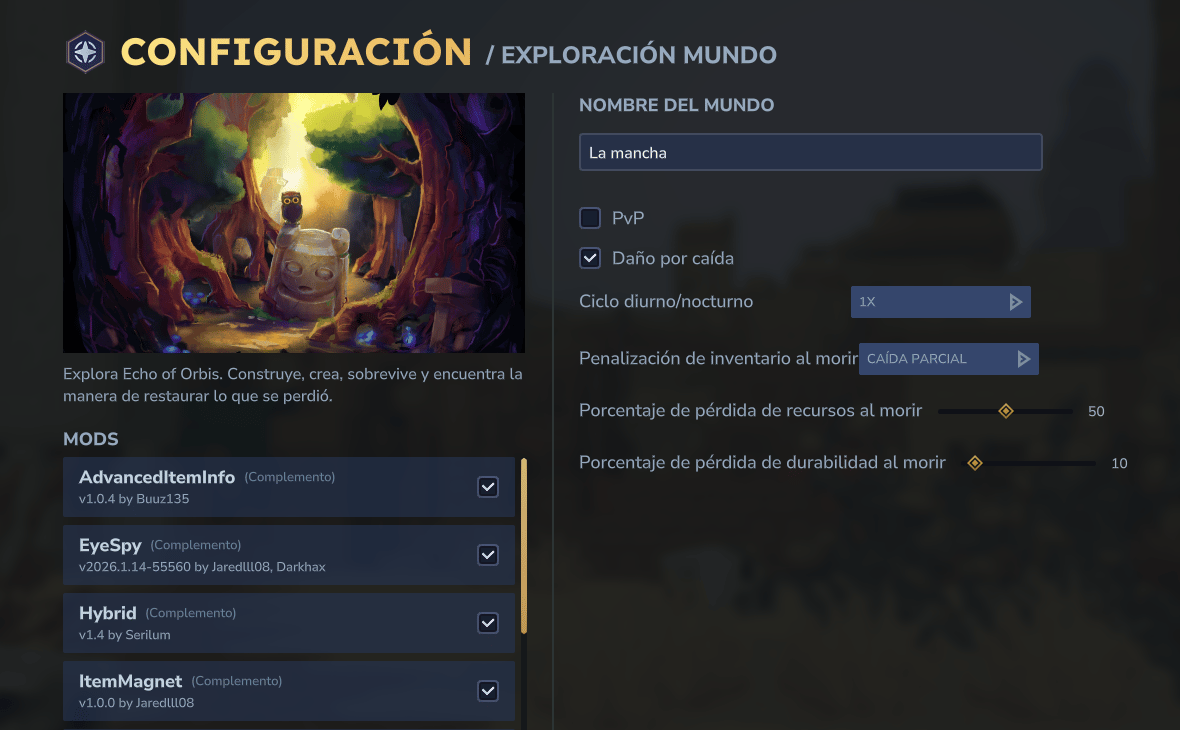
Una vez copiados los archivos, se inicia el juego y, desde el menú de mundos, se edita el mundo deseado para habilitar los mods antes de cargarlo, puedes activarlos y desactivarlos a voluntad.
Uso de gestores de mods
Para facilitar la instalación y administración de mods, existen herramientas que automatizan el proceso.
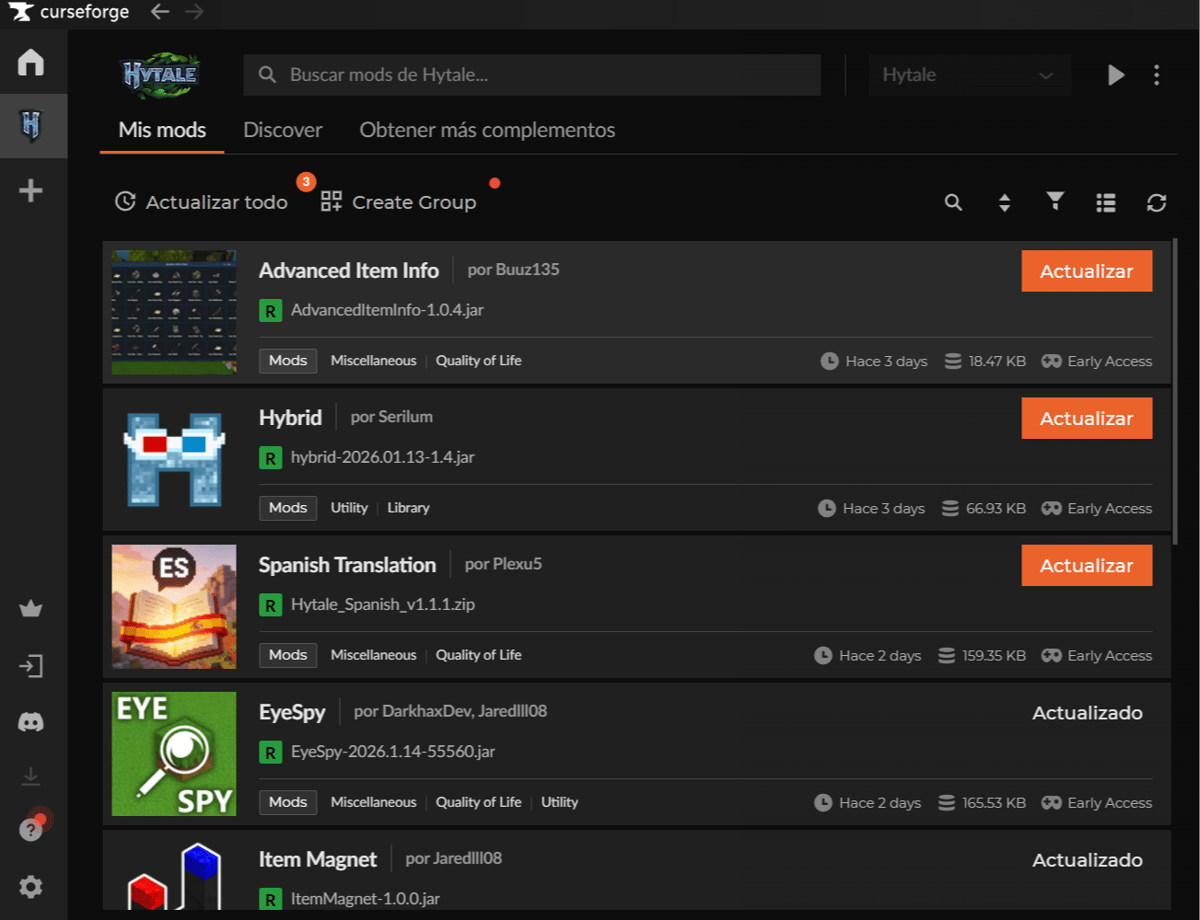
CurseForge permite instalar mods de forma centralizada:
- Instalación de la aplicación oficial.
- Selección de Hytale como juego.
- Búsqueda de mods compatibles.
- Activación desde la configuración del mundo.
Activación y gestión de mods
Los mods no se activan automáticamente al instalarlos. Desde el menú de mundos, cada mundo permite:
- Activar o desactivar mods de forma individual.
- Usar configuraciones distintas por mundo.
- Eliminar mods desmarcándolos o borrando su archivo.
Si un mod no aparece, suele deberse a una ubicación incorrecta del archivo o a incompatibilidad con la versión del juego.
Agregar mods a Hytale es un proceso estructurado que se basa en la lógica del servidor y en la activación por mundo. Ya sea mediante instalación manual, gestores de mods o servidores dedicados, el sistema permite ampliar la experiencia del juego sin modificar directamente el cliente.
3
0
Otras novedades que podrían interesarte
Etiquetas


