
'/%3e%3cpath%20d='M4.94162%205.99547L4.02701%205.08086L3.63428%205.47359L4.94162%206.78093L7.63768%204.08487L7.24495%203.69214L4.94162%205.99547Z'%20fill='white'/%3e%3cdefs%3e%3clinearGradient%20id='paint0_linear_2302_10195'%20x1='0.5'%20y1='10'%20x2='10.4939'%20y2='10'%20gradientUnits='userSpaceOnUse'%3e%3cstop%20stop-color='%234E10FF'/%3e%3cstop%20offset='1'%20stop-color='%23AB17DF'/%3e%3c/linearGradient%3e%3c/defs%3e%3c/svg%3e)
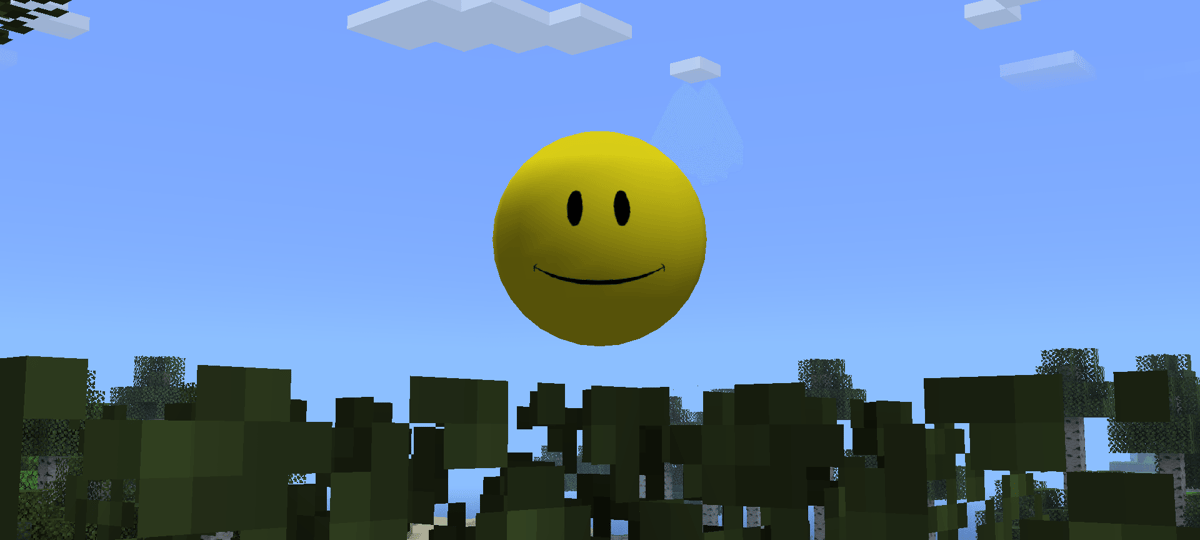
The Verity JE mod adds Verity to Minecraft Java Edition, a spherical yellow creature that serves as a companion and central element of an experience inspired by ThatMob's horror video series. The mod features interactions with Verity, different behaviors, and elements related to its story.
To install it, a compatible version of Minecraft Java Edition and the corresponding mod loader are required. As of September 2026, Verity JE has versions for Minecraft 1.20.1 with Forge and Minecraft 1.21.1 with NeoForge.
What is needed to install Verity JE?
Before getting started, four elements are required:
- Minecraft Java Edition.
- An installation of Forge 1.20.1 or NeoForge 1.21.1.
- The
.jarfile of Verity JE corresponding to that version. - The Minecraft Launcher or a launcher compatible with mods.
The project is available on CurseForge and Modrinth. To avoid incompatibilities or modified files, it is recommended to download the mod from one of these platforms and check that the file version matches the Minecraft version and the installed mod loader. NeoForge also recommends using trusted sources such as CurseForge or Modrinth to obtain mods.
Currently, CurseForge lists Verity 5.7.4 as a stable version for Minecraft 1.20.1 with Forge, while Verity 3.4.1 is available for Minecraft 1.21.1 with NeoForge. There are also later beta versions for 1.20.1, so users looking for stability can choose a version marked as a release rather than a beta.
How to install Verity on Minecraft 1.21.1 with NeoForge
This is one of the configurations compatible with the mod's available official versions.
1. Install NeoForge
First, download the NeoForge installer corresponding to Minecraft 1.21.1. With the Minecraft Launcher closed, run the .jar file and select the Install client option.
Your OLA account is worth prizes
Play the Claw, hunt the treasure and redeem in the Store. Creating an account is free.
Create my accountAfter completing the installation, open the Minecraft Launcher. NeoForge should appear as an available configuration. The official documentation recommends using a separate installation profile and, whenever possible, an independent game directory to keep mods separate from the regular Minecraft installation.
2. Launch NeoForge once
Before copying the mod, it is recommended to launch Minecraft using the NeoForge profile and reach the main menu. The game can then be closed.
This first launch allows NeoForge to generate the necessary folders, including the mods folder inside the selected game directory.
3. Download Verity JE
The next step is to download the Verity JE file compatible with Minecraft 1.21.1 and NeoForge.
On CurseForge, the verity-3.4.1.jar file is listed as a release version for Minecraft 1.21.1 and NeoForge. The file is approximately 156 MB in size.
A version intended for Forge 1.20.1 should not be downloaded if Minecraft 1.21.1 is being used, since the mod loader and game version must match.
4. Place the mod in the `mods` folder
The downloaded .jar file must be copied into the mods folder of the directory used by the NeoForge installation.
If the folder does not exist, it can be created manually with the name:
mods
It is important to not extract the .jar file. The file must remain as a .jar inside the folder.
5. Launch Minecraft with NeoForge
Finally, launch Minecraft using the NeoForge profile. If the file is compatible and has been placed correctly, Verity JE should load along with the game.
A new world can then be created to start using the mod's content.
How to install Verity on Minecraft 1.20.1 with Forge
There is also a version of the mod for Minecraft 1.20.1 using Forge. The procedure is practically the same, but in this case Forge must be installed instead of NeoForge.
First, install Forge for Minecraft 1.20.1 and launch it once from the launcher. Then download a compatible version of Verity JE, such as verity-5.7.4.jar, which CurseForge identifies as a release for Minecraft 1.20.1 and Forge.
The file is placed in the mods folder corresponding to that installation, after which Minecraft is launched using the Forge profile.
This version also has more recent beta files, such as the 6.0.0-beta branch, but they should not be confused with stable versions. The choice depends on whether the user wants to use the features introduced in beta versions or a version marked as a release.
Does Verity JE require other mods?
The information available for the project's versions shows dependencies that may vary depending on the selected file. Therefore, before launching the game, it is advisable to check the Dependencies section of the specific version downloaded from CurseForge or Modrinth.
For example, some versions of the project show integrated or required dependencies, while newer versions may include changes to how certain components work.
This helps prevent installing a dependency corresponding to another version of the mod and causing errors during startup.
Common problems when installing Verity
One of the most common errors is using the wrong version of the mod. A file for Forge 1.20.1 should not be placed in a NeoForge 1.21.1 installation, and vice versa.
Minecraft may also close during startup if a dependency is missing or if different versions of Forge, NeoForge, and Verity are mixed. In these cases, the exact game version, mod loader, and .jar file version should be checked first.
Finally, it is recommended to back up worlds before updating mods or the mod loader. NeoForge's documentation recommends backing up the saves folder before making these types of changes.
With the correct combination, the installation can be reduced to three main steps: install the compatible mod loader, download the corresponding version of Verity JE, and place the .jar file in the mods folder. From there, Minecraft can be launched from the modified profile to start a game with Verity's content.
6
0
Other news you might be interested in
Etiquetas


